Page 2 of 3
Posted: Sat Jan 16, 2010 3:46 am
by 8BIT
When I typed in
www.jameco.com I got a white page with a redirect link. However, about 4 seconds later, it automatically took me to their store front. From there, the links to the catalog seemed to work. Purhaps you caught them in an upgrade-gone-bad state?
Daryl
Posted: Sat Jan 16, 2010 4:01 am
by GARTHWILSON
I just tried again, and I just get a white page and the bottom of the screen says "Done" and there's nothing more, not matter how long I wait. There's no re-direct link either. I'm using FireFox and I don't have any problems with it.
Posted: Sat Jan 16, 2010 4:07 am
by 8BIT
Posted: Sat Jan 16, 2010 4:58 am
by GARTHWILSON
Yep, I just get a blank white page and a message at the bottom, "Done".
Posted: Sat Jan 16, 2010 5:14 am
by kc5tja
It all works for me -- I can't explain why you're only seeing a blank page. Just for giggles, try a different browser?
BTW, 8BIT, your link has a comma at the end of the URL -- can you edit your post to remove the comma?
Posted: Sat Jan 16, 2010 5:58 am
by 8BIT
corrected
Posted: Sat Jan 16, 2010 6:37 am
by GARTHWILSON
I just had our son try it. He's in the other room on the same connection, with the same OS (Ubuntu 9.10 Linux), and the same version of the same browser, and it works for him, and not for me. I re-started my browser to see if that would change anything. It didn't.
Posted: Sat Jan 16, 2010 7:22 am
by GARTHWILSON
Ok, got it. I cleared the Jameco cookies, and it works now. Our son said it was probably because of the fact that he recently changed my OS from Linspire (and the FireFox derivative LBrowser) to Ubuntu (even though Linspire has worked perfectly fine for years) and copied all the old data, including cookies over; then Jameco's web ap may not have known what to do with the cookie not matching the OS.
Posted: Sat Jan 16, 2010 5:01 pm
by kc5tja
Actually, cookies have zero to do with the OS. Cookies are KEY=VALUE equations, stored by domain name in the browser's data cache area (note: they're treated differently from cachable data; however, the cache directory is typically where most browsers dump them).
It sounds to me like Jameco's web application designers have failed to consider the possibility of an expired cookie, or even a cookie with improperly formatted data (this occurs all the time when, for instance, the VALUE part of the equation changes, but the KEY doesn't).
I didn't consider the possibility of cookies here, because it's considered terrible, terrible, TERRIBLE practice to depend on cookies when touching the home page. This is relatively common practice: you can set them, query them, and act on them if they're OK, but you never depend on them. Apparently, Jameco's web designers didn't get the memo on industry best practices.
Posted: Sun Jan 17, 2010 5:05 am
by BigDumbDinosaur
Does anyone know what's going on with Jameco? For many years, they've sent me the normal catalog updates automatically, but last week I got a thing in the mail from them saying to go to
www.Jameco.com/CAT10 to order a free online catalog, so I figured they want to make sure they're only sending it to people who want it.
Jameco is apparently not sending out catalogs if a certain amount of time expires after one's last order. I continue to get catalogs because I order from them several times a year.
There's a boo-boo in the code pointing to the above, but it does auto-redirect after a short pause (this is in SeaMonkey).
So I go to that address, and it says the page cannot be found, then re-directs me to supposedly the front page I guess, which is blank now-- nothing on it.
Front page? Y'mean the home page? I browsed to Jameco's site with no problem.
Posted: Sun Jan 17, 2010 5:27 am
by GARTHWILSON
Front page? Y'mean the home page? I browsed to Jameco's site with no problem.
Yeah. As I said in my last post, it seemed to be a problem with how they handled cookies, and it's solved now.
Re: Home computer construction with SMT parts and PLCCs
Posted: Mon Jan 18, 2010 2:30 am
by ElEctric_EyE
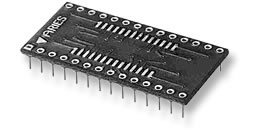
...and other manufacturers offer adapters to make SOICs and other SMT parts able to be plugged into DIP sockets. Here's one from Aries, which I've used:
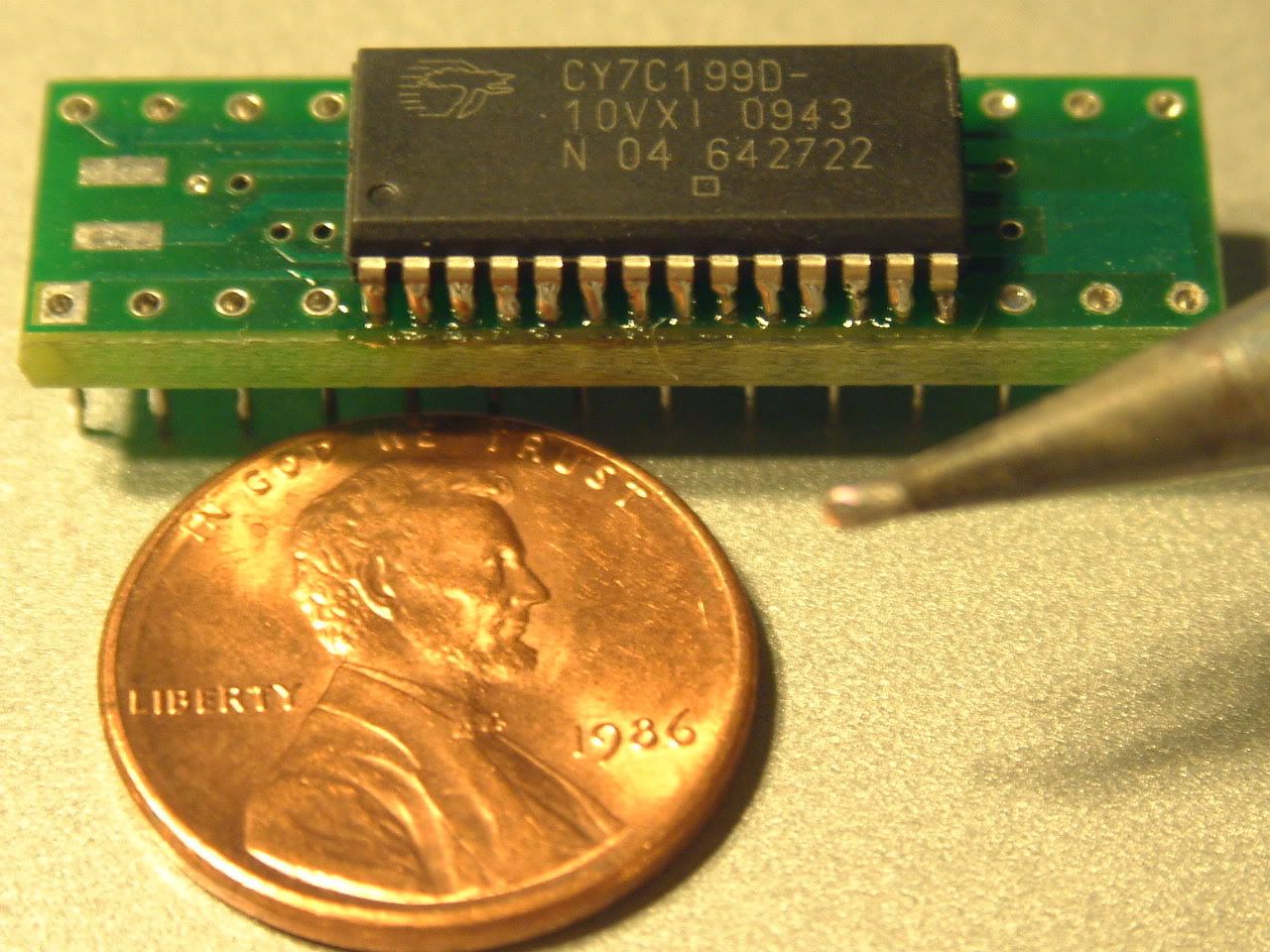
I finished soldering this 32Kx8 SOJ last night. Not too bad. The solder from one lead wound up sticking to an adjacent lead. I was worried about heat so close the the IC leads, so I used a solder sucker, and it fixed it up real quick. Here's pic below. Don't be intimidated by SOJ, although DIP socket adapters are $5 each. This is my first run in with a 28-pin SOJ.
Re: Home computer construction with SMT parts and PLCCs
Posted: Mon Jan 18, 2010 5:39 am
by BigDumbDinosaur
I finished soldering this 32Kx8 SOJ last night. Not too bad.
Looks pretty clean, actually. Better than I did on the POC's SRAM.
The solder from one lead wound up sticking to an adjacent lead. I was worried about heat so close the the IC leads, so I used a solder sucker, and it fixed it up real quick.
All it takes is a steady hand and some patience. Helps to also have a real small soldering iron tip.

Posted: Mon Jan 18, 2010 6:20 am
by GARTHWILSON
I was worried about heat so close the the IC leads,
Don't worry about it. At a previous job in the mid 1980's I occasionally scanned power transistsors with an IR microscope, and at the extreme, saw them
operating (not just in storage) at over 350°C. I don't remember how far over, but 350°C is 660°F, and it was more than that, with this power transistor dissipating hundreds of watts. With metal migration and other issues, it would not have lasted very many hours doing that, but the fact is that it did not destroy it. I think the temperature they used to braze the die down to the metalized ceramic substrate was higher than that. (The super high operating temperature resulted from a tiny void in the braze job.)
When you put the soldering iron up to one lead, the rest of the package will give cooling, and the temperature gradient will keep the die (the actual chip inside the IC) from getting very hot. You're not applying the soldering iron directly to the die. Between the leadframe and the die there are bondwires to connect, and those are usually .001" to .002" in diameter. When they specify for soldering that the temperature be held below X degrees for Y seconds, they're referring to automatic production soldering that gets the whole thing up to that temperature, applying heat even to the package itself, not just a few leads at a time.
Posted: Mon Jan 18, 2010 2:58 pm
by BigDumbDinosaur
When they specify for soldering that the temperature be held below X degrees for Y seconds, they're referring to automatic production soldering that gets the whole thing up to that temperature, applying heat even to the package itself, not just a few leads at a time.
As an example, here's a note from the Maxim MAX220-243 data sheet:
Lead Temperature (soldering, 10s) (Note 3) .......+300°C
300°C is 572°F. As Garth pointed out, hand soldering isn't going to impose thermal loads any more severe than reflow in an oven.