Highest speed graphic functions in a Spartan 6 XC6SLX9

Topics relating to PALs, CPLDs, FPGAs, and other PLDs used for the support or creation of 65-family processors, both hardware and HDL.
User avatar
Arlet
Posts: 2353
Joined: 16 Nov 2010
Location: Gouda, The Netherlands
Contact:

Re: Highest speed graphic functions in a Spartan 6 XC6SLX9

Post by Arlet »

I haven't looked at all the details, but I noticed that you're doing two assignments to X in the same block:

Code: Select all

            X <= x0;
            Y <= y0;                     //output origin
            if ( e2 < dy ) begin
               err <= err + dy;
               x0 <= sx ? x0 + 1 :
                          x0 - 1;
               X <= x0;
            end
You need to make sure that you only do one assignment. Also, you'll want some write enable signal to be produced by this module, so you can write the pixel only when it contains a valid coordinate.
ElEctric_EyE
Posts: 3260
Joined: 02 Mar 2009
Location: OH, USA

Re: Highest speed graphic functions in a Spartan 6 XC6SLX9

Post by ElEctric_EyE »

Arlet wrote:
I haven't looked at all the details, but I noticed that you're doing two assignments to X in the same block:

Code: Select all

            X <= x0;
            Y <= y0;                     //output origin
            if ( e2 < dy ) begin
               err <= err + dy;
               x0 <= sx ? x0 + 1 :
                          x0 - 1;
               X <= x0;
            end
...
Interesting, I usually get a 'multiple drivers' error from ISE when I've made this sort of programming error, and it wouldn't even pass synthesis. The module above passes synthesis and implementation, although as I've said, it's not 100%. The major structure is in place though.
White Flame
Posts: 704
Joined: 24 Jul 2012

Re: Highest speed graphic functions in a Spartan 6 XC6SLX9

Post by White Flame »

prep_state needs to swap both points completely if y1 is above y0. You should probably have distinct code to separately set all your variables for all 4 quadrants the direction of the line could take, to keep it in a single step.

The errcalc_state makes a distinction between horizontal and vertical lines, but the draw_state always assumes the line will be vertical (dy > dx). If a line is more horizontal, the err will be nonsensical coming into draw_state, and only 1 pixel will be drawn per row, leaving gaps. You can do one of two things here: The "err < dy" overflow check needs to turn into a cycle-based loop in order to draw multiple pixels in a horizontal line, which would be compatible with the desired scanline renderer; or you need to have 2 different draw_states, the other one handling horizontal lines (dx as the denominator in the error fraction).

I don't think err is handled right in draw_state. You accumulate it when it's less than dy, but never reset it when it overflows. Plus, you bump x0 when it's not overflowed, but I don't know if you're using negative numbers?

I don't understand the "if ((x0 = err) ..." test near the bottom. That seems pretty nonsensical, as the two numbers aren't even in the same scale.


It would really help if you commented the code more, especially to step through the thinking of draw_state. I can't really give you actual solutions for some of these issues until I get an understanding of which way you're tackling err specifically.


edit: vvv Agreed. I always look to full-scope understanding, so that option doesn't cross my mind enough. :) vvv

However, there are some fundamental algorithmic changes that will happen by starting off simpler, so keep the larger descriptions & caveats in mind, EE.
Last edited by White Flame on Wed Nov 21, 2012 8:57 am, edited 7 times in total.
User avatar
Arlet
Posts: 2353
Joined: 16 Nov 2010
Location: Gouda, The Netherlands
Contact:

Re: Highest speed graphic functions in a Spartan 6 XC6SLX9

Post by Arlet »

To make things a bit simpler, I would recommend first making a version that only draws in one quadrant, say dx > dy > 0. When this works, modify the design to allow for the other quadrants.
ElEctric_EyE
Posts: 3260
Joined: 02 Mar 2009
Location: OH, USA

Re: Highest speed graphic functions in a Spartan 6 XC6SLX9

Post by ElEctric_EyE »

White Flame wrote:
prep_state needs to swap both points completely if y1 is above y0. You should probably have distinct code to separately set all your variables for all 4 quadrants the direction of the line could take, to keep it in a single step.... .
Arlet wrote:
To make things a bit simpler, I would recommend first making a version that only draws in one quadrant, say dx > dy > 0. When this works, modify the design to allow for the other quadrants.
4 quadrants... I was only thinking 2, when doing the prep_state, I was figuring the CPU sending the line coordinates would know that y would never be decreasing. So line coordinates like (0,10)to(10,0) would be illegal, but I see a case could be made to include the correction feature you mention in the code. Looks easy enough, I will work on this.
White Flame wrote:
...or you need to have 2 different draw_states, the other one handling horizontal lines (dx as the denominator in the error fraction)...
It crossed my mind to do 2 different draw_states as well, one for dx>dy (more horizontal) and one for dy>dx (more vertical).
The error logic is what I am having a difficult time with, still. Hopefully it will click soon. :oops:
ElEctric_EyE
Posts: 3260
Joined: 02 Mar 2009
Location: OH, USA

Re: Highest speed graphic functions in a Spartan 6 XC6SLX9

Post by ElEctric_EyE »

White Flame wrote:
...I don't think err is handled right in draw_state. You accumulate it when it's less than dy, but never reset it when it overflows. Plus, you bump x0 when it's not overflowed, but I don't know if you're using negative numbers?...
Should I be using signed notation? I'm avoiding negative numbers...
White Flame
Posts: 704
Joined: 24 Jul 2012

Re: Highest speed graphic functions in a Spartan 6 XC6SLX9

Post by White Flame »

ElEctric_EyE wrote:
4 quadrants... I was only thinking 2, when doing the prep_state, I was figuring the CPU sending the line coordinates would know that y would never be decreasing. So line coordinates like (0,10)to(10,0) would be illegal, but I see a case could be made to include the correction feature you mention in the code. Looks easy enough, I will work on this.
If that y1>y0 input requirement exists, then you can calculate dy without the 'if' check that's currently in there.

ElEctric_EyE wrote:
The error logic is what I am having a difficult time with, still. Hopefully it will click soon. :oops:
Bresenham is exactly the same as doing x' = x + dx/dy, but keeping a complex fraction instead of performing a division. I don't know why everybody calls it "error", because it's the numerator in the iteration. I prefer calling it "num" for numerator:

x' = x + num/dy

On each iteration, num = num + dx. Whenever num gets larger than dy, then x=x+1 and num=num-dy. It's nothing more than basic elementary school fraction handling, but for some reason gets obscured with the way Bresenham tends to be described.

As an example, drawing from 0,0 to 3,5. X starts at zero, and every step of Y we add 3/5 to the x coordinate.

Code: Select all

y=0, x = 0 + 0/5
y=1, x = 0 + 3/5
y=2, x = 0 + 6/5 = 1 + 1/5
y=3, x = 1 + 4/5
y=4, x = 1 + 7/5 = 2 + 2/5
y=5, x = 2 + 5/5 = 3 + 0/5
Therefore, the plotted points are (0,0), (1,0), (2,1), (3,1), (4,2), (5,3), taking just the integer portion of X and ignoring the fractional portion.

Note that in the code you have, the numerator is doubled for an "e2" term, rounding up to give a half-pixel offset to the line to balance it nicer. It could also have started off with "x = 0 + 2/5", starting the numerator with a half-pixel offset and leaving out that "e2" calculation. Once you actually start drawing lines, you'll see what a visual difference that offset makes.

The x-coords from above are 0,0,1,1,2,3, which wouldn't look visually straight. With the half-pixel offset, they become 0,1,1,2,2,3, which looks a lot nicer. This is the difference between considering the canonical point location of a pixel to be at the upper-left hand corner of the pixel's area (no offset), vs at its center (coordinate is offset by 1/2).
ElEctric_EyE wrote:
Should I be using signed notation? I'm avoiding negative numbers...
No, I didn't know if what you were doing was intentional or not. Stick to unsigned.
ElEctric_EyE
Posts: 3260
Joined: 02 Mar 2009
Location: OH, USA

Re: Highest speed graphic functions in a Spartan 6 XC6SLX9

Post by ElEctric_EyE »

AHA said the blind man! I understand THAT explanation perfectly! Thank you very much. :D
ElEctric_EyE
Posts: 3260
Joined: 02 Mar 2009
Location: OH, USA

Re: Highest speed graphic functions in a Spartan 6 XC6SLX9

Post by ElEctric_EyE »

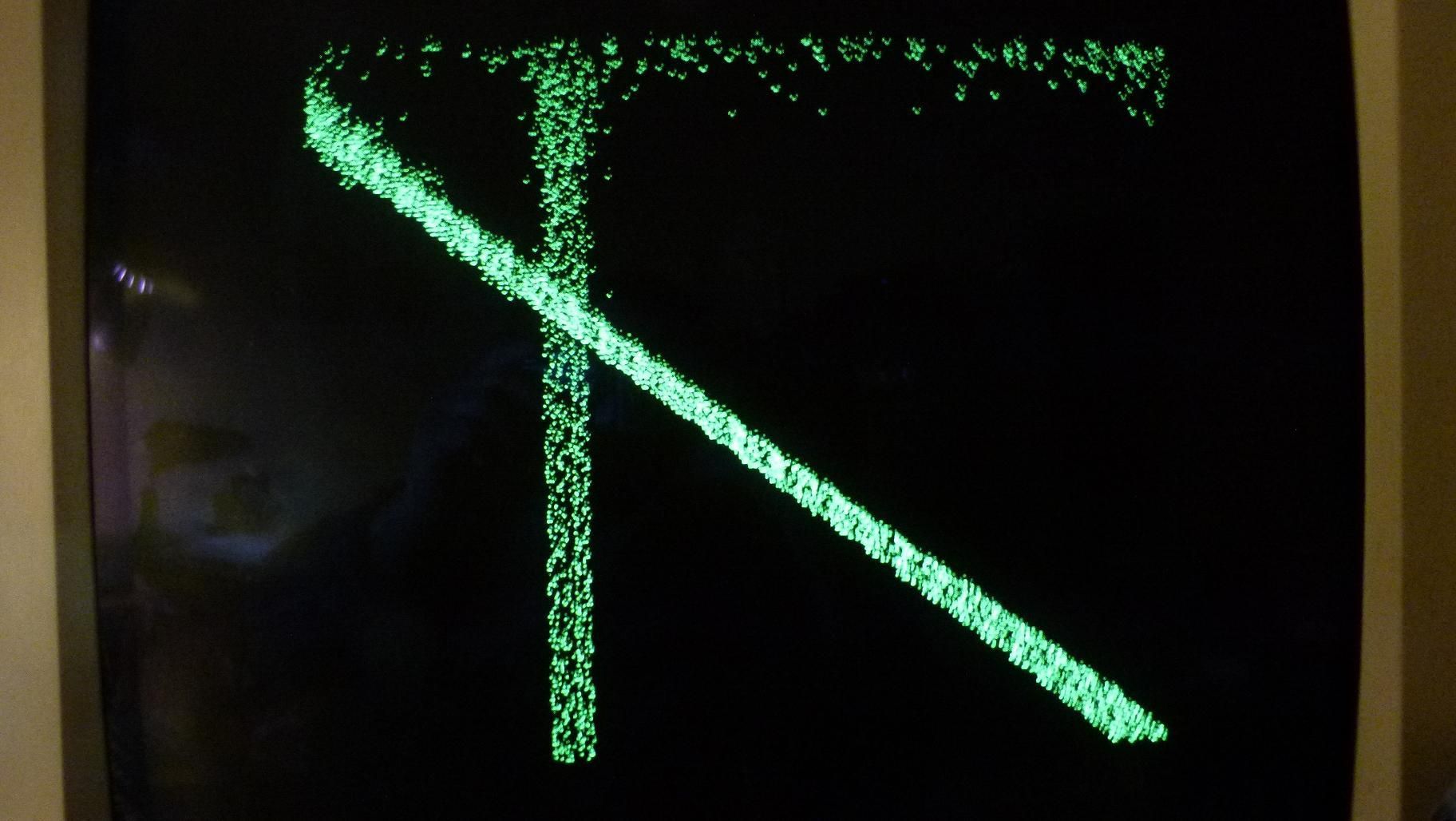
Ok, got something to show. Not correct yet, but still just abit exciting.

Code: Select all

module LineGen( input clk108,
					 input countflag,				//flag, plot inside borders
					 input vblank,
					 input vsync,
					 output reg [9:0] X,			//H component of pixel to BRAM
					 output reg [8:0] Y			//V component of pixel to BRAM
					);
					
reg [9:0] x0 = 0;
reg [9:0] x1 = 639;			
reg [8:0] y0 = 0;
reg [8:0] y1 = 479;
reg [9:0] dx;
reg [8:0] dy;
reg [9:0] num;
reg [10:0] e2;
reg [0:0] sx;

reg [1:0] state;
parameter prep_state = 0, draw_state = 1;

//state machine for plotting a line
always @(posedge clk108)
	if ( vblank & vsync )
		state <= prep_state;
			else
				case (state)
					prep_state:							//calculate dx, dy and slope of x
						state <= draw_state;
					
					draw_state:							//draw line from y0 to y1
						if ( !countflag )
							state <= prep_state;
				endcase
				
always @(posedge clk108) begin
	case (state)
		prep_state:							
			begin
			dy <= y1 - y0;						//CPU sending coordinates must follow y1>y0
				if ( x1 > x0 ) begin			//negative "\" slope, sx=0
					dx <= x1 - x0;
					sx <= 0;
				end
					else begin					//positive "/" slope, sx=1
						dx <= x0 - x1;
						sx <= 1;
					end
			end
		
		draw_state:
			begin
				num <= dx;
				e2 <= num + num;
				if ( e2 > dy ) begin
					num <= num - dy;
					x0 <= sx ? x0 + 1 :
								  x0 - 1;
					y0 <= y0 + 1;
					X <= x0;
					Y <= y0;
				end
					else 
						num <= num + dx;
			end
	endcase
end

endmodule
The green checkmarks are actually flickering dots. Got some camera shake there...
Image
White Flame
Posts: 704
Joined: 24 Jul 2012

Re: Highest speed graphic functions in a Spartan 6 XC6SLX9

Post by White Flame »

num needs to be initialized in prep_state. The "num <= dx" in the beginning of draw_state overwrites/discards any accumulation between draw_state passes (though as above, num is being set twice in draw_state and that's probably an error).

You should set x1 to something smaller. Drawing 0,0-639,479 is a more horizontal line, not a vertical one, and this algorithm only steps max 1 pixel horizontally per y-step. Draw to 239,479 or something.

You should overflow when e2 >= dy, not just when it's >, because something like 40/40 is still a fractional overflow.

You should be adding dx to num every step, then performing an overflow check if it gets too big. In the current approach, if there's an overflow it retains the same mathematical value across 2 passes (0 + 7/5, and 1 + 2/5, for example), instead of performing the overflow as effectively part of the addition.

Consider the case of signedness of num and e2. If dy is 40, and num is 20, then e2 is 40 and it will overflow, meaning num becomes -20. Run it through in your head, considering bit widths and that only e2 is ever used in comparison. I've never used the e2 approach, but always just initialized num to half of the denominator instead; this keeps everything non-negative.

Congrats on the partial workage. :D
ElEctric_EyE
Posts: 3260
Joined: 02 Mar 2009
Location: OH, USA

Re: Highest speed graphic functions in a Spartan 6 XC6SLX9

Post by ElEctric_EyE »

White Flame wrote:
...Congrats on the partial workage. :D
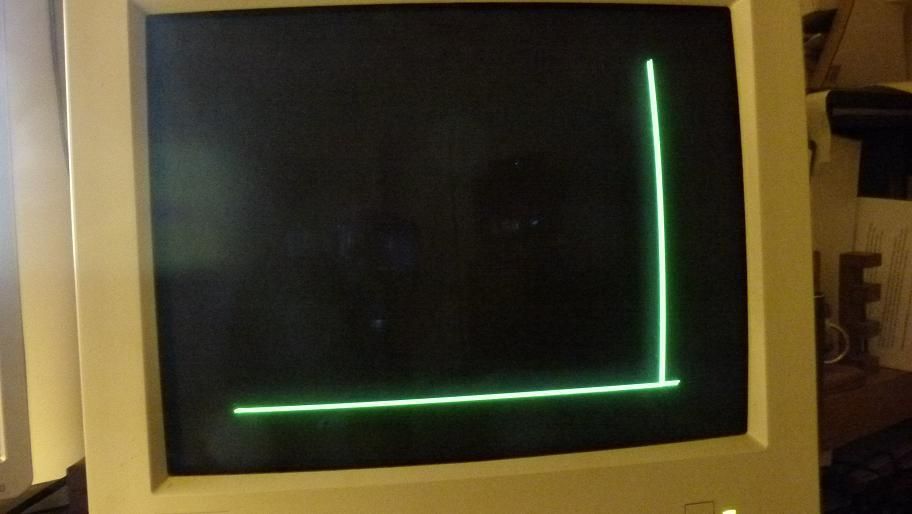
Thanks! I'll look over your suggestions tomorrow when I have more time. I was wondering if my RAM timings were off and generating the randomness in the pixels, but after just abit more experimentation I got this steady pic:
Image
with this code: My slope values were wrong for X, sorry. I need a rest... and a beer!

Code: Select all

module LineGen( input clk108,
					 input countflag,				//flag, plot inside borders
					 input vblank,
					 input vsync,
					 output reg [9:0] X,			//H component of pixel to BRAM
					 output reg [8:0] Y			//V component of pixel to BRAM
					);
					
reg [9:0] x0 = 0;
reg [9:0] x1 = 639;			
reg [8:0] y0 = 0;
reg [8:0] y1 = 479;
reg [9:0] dx;
reg [8:0] dy;
reg [9:0] num;
reg [10:0] e2;
reg [0:0] sx;

reg [1:0] state;
parameter prep_state = 0, draw_state = 1;

//state machine for plotting a line
always @(posedge clk108)
	if ( vblank & vsync )
		state <= prep_state;
			else
				case (state)
					prep_state:							//calculate dx, dy and slope of x
						state <= draw_state;
											
					draw_state:							//draw line from y0 to y1
						if ( !countflag )
							state <= prep_state;
				endcase
				
always @(posedge clk108) begin
	case (state)
		prep_state:							
			begin
			dy <= y1 - y0;						//CPU sending coordinates must follow y1>y0
			num <= dx;
				if ( x1 < x0 ) begin			//negative "\" slope, sx=0
					dx <= x0 - x1;
					sx <= 0;
				end
					else begin					//positive "/" slope, sx=1
						dx <= x1 - x0;
						sx <= 1;
					end
			end
				
		draw_state:
			begin
				e2 <= num + num;
				y0 <= y0 + 1;
				if ( e2 > dy ) begin
					num <= num - dy;
					x0 <= sx ? x0 + 1 :
								  x0 - 1;
					X <= x0;
					Y <= y0;
				end
					else 
						num <= num + dx;
			end
	endcase
end

endmodule
White Flame
Posts: 704
Joined: 24 Jul 2012

Re: Highest speed graphic functions in a Spartan 6 XC6SLX9

Post by White Flame »

I just noticed there's nothing re-setting x0 and y0 at the beginning of the frame. Once you draw the line, x0 and y0 retain their old values from the end of the prior line. That could have something to do with your static state.
ElEctric_EyE
Posts: 3260
Joined: 02 Mar 2009
Location: OH, USA

Re: Highest speed graphic functions in a Spartan 6 XC6SLX9

Post by ElEctric_EyE »

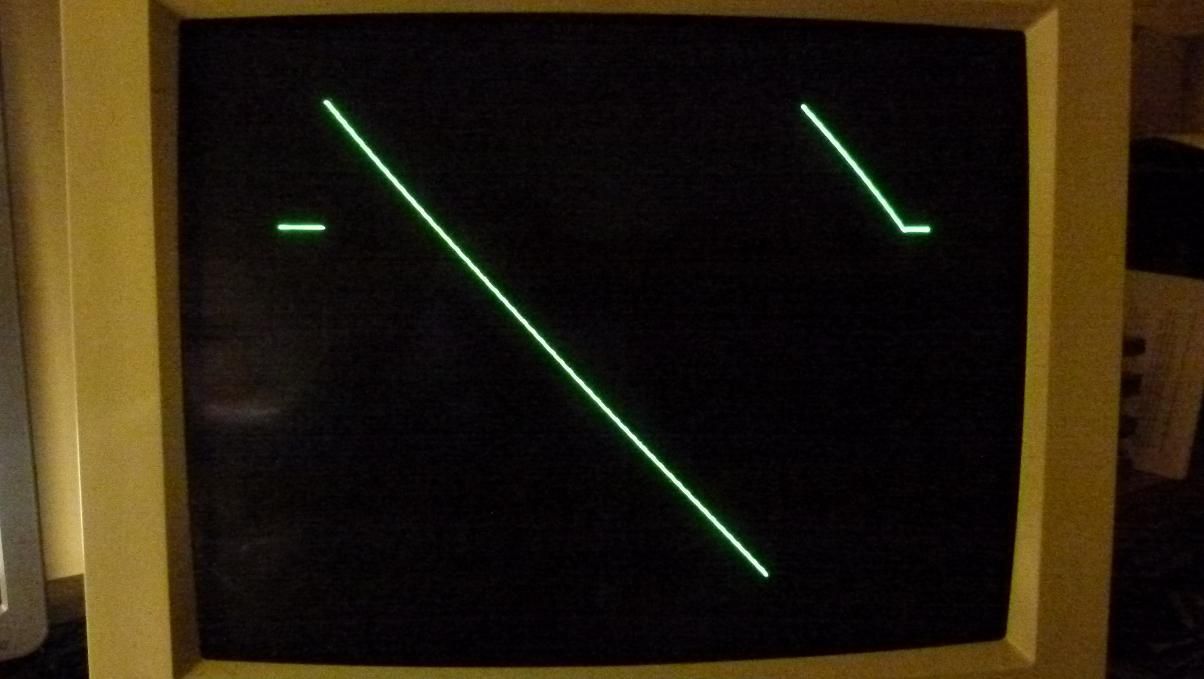
yes sir! THANKS. One step closer to my cube!
Image

Code: Select all

module LineGen( input clk108,
					 input countflag,				//flag, plot inside borders
					 input vblank,
					 input vsync,
					 output reg [9:0] X,			//H component of pixel to BRAM
					 output reg [8:0] Y			//V component of pixel to BRAM
					);
					
reg [9:0] x0 = 0;
reg [9:0] x1 = 639;			
reg [8:0] y0 = 0;
reg [8:0] y1 = 479;
reg [9:0] dx;
reg [8:0] dy;
reg [9:0] num;
reg [10:0] e2;
reg [0:0] sx;

reg [1:0] state;
parameter prep_state = 0, draw_state = 1;

//state machine for plotting a line
always @(posedge clk108)
	if ( vblank & vsync ) 
		state <= prep_state;
			else
				case (state)
					prep_state:							//calculate dx, dy and slope of x
						state <= draw_state;
											
					draw_state:							//draw line from y0 to y1
						if ( !countflag ) 
							state <= prep_state;
				endcase
				
always @(posedge clk108) begin
	case (state)
		prep_state:							
			begin
			x0 <= 0;
			y0 <= 0;
			dy <= y1 - y0;						//CPU sending coordinates must follow y1>y0
			num <= dx;
				if ( x1 < x0 ) begin			//negative "\" slope, sx=0
					dx <= x0 - x1;
					sx <= 0;
				end
					else begin					//positive "/" slope, sx=1
						dx <= x1 - x0;
						sx <= 1;
					end
			end
				
		draw_state:
			begin
				e2 <= num + num;
				y0 <= y0 + 1;
				if ( e2 > dy ) begin
					num <= num - dy;
					x0 <= sx ? x0 + 1 :
								  x0 - 1;
					X <= x0;
					Y <= y0;
				end
					else 
						num <= num + dx;
			end
	endcase
end

endmodule
User avatar
MichaelM
Posts: 761
Joined: 23 Apr 2012
Location: Huntsville, AL

Re: Highest speed graphic functions in a Spartan 6 XC6SLX9

Post by MichaelM »

Very cool indeed. Looking forward to seeing your first geometric.
Michael A.
ElEctric_EyE
Posts: 3260
Joined: 02 Mar 2009
Location: OH, USA

Re: Highest speed graphic functions in a Spartan 6 XC6SLX9

Post by ElEctric_EyE »

I still have much work to do for a simple line. It is not performing x=x-1 for any line under any conditions. I will figure it out.
Post Reply