Page 1 of 2

PET Keyboard Read Routine

Posted: Sat Nov 13, 2021 5:24 pm
by Oneironaut
Greets!

If there are any PET gurus out there, I would appreciate some ideas on why I can't seem to read input directly from PORTB on the 6520 that is connected to the PET keyboard. I am familiar enough with the hardware to know that bits (3:0) feed a 74LS145 BCD decoder that drives one of ten ROW lines LOW. I also know that pressing a key will drive one of the Columns LOW that feeds into the 6520 PORTB input.

I need to read input data from PORTB of the 6520 as fast as possible (for reasons I will explain later), so I made this basic assembly test just to make sure I was on the right track. I fully expected this to show characters change on the screen as I pressed various keys....

Code: Select all


; ******************************************************************
; ********** PET BASIC PROGRAM STUB
; ********** SAVE CODE STARTING @ 1025
; ******************************************************************

; START OF BASIC
 .ORG 1025
 .WORD 1025
 
; ADD BASIC SYS2000 COMMAND
 .BYTE 11,4,0,0,158,50,48,48,48,0,0,0
   
; START OF PRORAM + BASIC OFFSET
 .ORG 2000+2
  
; DISABLE PET KERNAL
 ;SEI
  
 
; ******************************************************************
; ********** MAIN LOOP
; ******************************************************************
MAIN:
 
; SET KBD.ROW
 lda #0
 STA $E810
 
; RED KBD.COL  
 LDA $E812
 STA 32768
 
; ALIVE TEST
 INX
 STX 32769
 
 ; LOOP 
 JMP MAIN
 
Simple enough, it sets the 145 to zero, then writes whatever value it finds on the input of PORTB to the upper left corner of the screen. Just to verify my sanity (and that the code works), it also dumps a rolling character to the second location on the screen, and that indeed works.

What is odd is that the keyboard has no effect on the first character, it just stays at 255. Even if I alter the 145 value, nothing changes.

I have run this code on 2 real PETs as well as vice, and it is the same on all.

Any ideas? I am almost certain that my addresses are correct; $E819 to set the 145, and $E812 to read the data.

On a side note, this "Basic Stub" just stuffs "SYS 2000" into basic line zero. Address 2000 is the start of assembly code.
I use this for all my PET progs, and it works well.

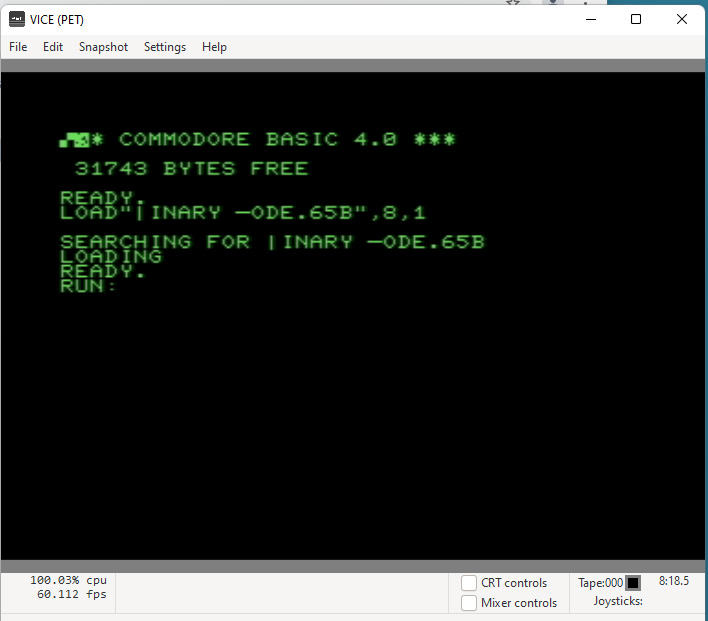
Here is a Vice shot, showing the 255 character (top left) and my rolling character working...
Image

Cheers!
Brad

Re: PET Keyboard Read Routine

Posted: Sat Nov 13, 2021 5:58 pm
by barrym95838
I am not a PET guru, but Andre is, and this seems to suggest that you need to double-check your port B address:

http://www.6502.org/users/andre/petinde ... .html#pia1

[Edit: or not ... I just looked back and I can't see what made me think that ... I hope it wasn't a mini-stroke ... maybe you just weren't hitting any Row 0 keys?

http://www.6502.org/users/andre/petinde ... .html#scan

]

Re: PET Keyboard Read Routine

Posted: Sat Nov 13, 2021 6:14 pm
by Oneironaut
Thanks.

I thought that at first as well, so I methodically pressed every key. I then made the 145 address roll from 0 to 15 as well, and still.... no changes.
There must be some other ghost in the machine at work here. Something I don't understand about the PET.

Brad
barrym95838 wrote:
I am not a PET guru, but Andre is, and this seems to suggest that you need to double-check your port B address:

http://www.6502.org/users/andre/petinde ... .html#pia1

[Edit: or not ... I just looked back and I can't see what made me think that ... I hope it wasn't a mini-stroke ... maybe you just weren't hitting any Row 0 keys?

http://www.6502.org/users/andre/petinde ... .html#scan

]

Re: PET Keyboard Read Routine

Posted: Sat Nov 13, 2021 6:52 pm
by barrym95838
With interrupts disabled, do you need to manually strobe the DDRA (as an output) somehow? I'm at work, so I can't spend too much time right now studying how the PET ROM does it ... :-(

Re: PET Keyboard Read Routine

Posted: Sat Nov 13, 2021 7:03 pm
by tsky
I notice a couple oddities in your code but they probably shouldn't affect its execution. Your BASIC program calls sys(2000) but your .ORG statement starts the code at 2002. That means one or two garbage instructions get executed but it looks like the MAIN loop does get executed. Also, your SEI instruction is commented out. That means once every 1000 loops or so, the program gets interrupted and the row address ($E810) gets modified by the interrupt routine. But, that should be hardly noticeable because the assembly code would quickly change it back. Otherwise, the code looks good and it's a mystery (to me) why it's not working.

Re: PET Keyboard Read Routine

Posted: Sat Nov 13, 2021 7:16 pm
by Dr Jefyll
Oneironaut wrote:
Something I don't understand about the PET.
Rather than the PET, could it be the 6520 that's throwing you a curve?

The odd thing (to me) about this chip is how the Data Direction Registers are not directly accessible -- meaning, they're not provided with a register address all their own. Instead, to get at them you need to set bit2 of the Control Register, then use the address that otherwise would give you the Data Register (not the Data Direction Register) . Perhaps you're already aware of this.

Anyway, FWIW I'm just throwing the thought out there. Is it possible that you and the PET firmware and the 6520 itself are having a misunderstanding about whether the '145 bits you're wiggling are supposed to be inputs or outputs?

-- Jeff

Re: PET Keyboard Read Routine

Posted: Sat Nov 13, 2021 7:21 pm
by barrym95838
(HAH! My edit beat Jeff's post by two full minutes!)

Back to work ... another turd just stumbled in, ready for polishing ...

Re: PET Keyboard Read Routine

Posted: Sat Nov 13, 2021 7:24 pm
by Dr Jefyll
Wha ? You edited your post? (I was busy typing!) :)

Re: PET Keyboard Read Routine

Posted: Sat Nov 13, 2021 7:50 pm
by Oneironaut
Thanks for the suggestions!

Ok, the .ORG2000+2 is to remind myself that when you load a program into the PET, it adds 2 bytes to determine the start of the basic program, even though it cannot actually be relocated like on other C= machines. This is all good - no bogus bytes are executed.

One strange thing also is that SEI does nothing it all. Unlike my VIC programs where this stops all kernal routines from running, it does not do the same on the PET. I think the IRQ may be triggered in hardware by the 60Hz vertical sync pulse.

In that case.... perhaps it is impossible to actually stop the editor from running and also not possible to write a fast keyboard routine in assembly for a PET?

This is very odd.
Brad

Re: PET Keyboard Read Routine

Posted: Sat Nov 13, 2021 7:57 pm
by barrym95838
Nothing is impossible in this little corner of the universe, only a bit inconvenient! I thought PETs didn't use NMIs, but even if they did there could be a way to wedge into the vector and force the ISR to lay off your locations.

Are you sure that SEI doesn't work? Or is it ;SEI that's the culprit?

Re: PET Keyboard Read Routine

Posted: Sat Nov 13, 2021 8:49 pm
by tsky
Oneironaut wrote:
Ok, the .ORG2000+2 is to remind myself that when you load a program into the PET, it adds 2 bytes to determine the start of the basic program, even though it cannot actually be relocated like on other C= machines. This is all good - no bogus bytes are executed.
Brad
I think you might have a mismatch between the ORG address and where the code lands in memory. The SYS(2000) jumps to 2000. The JMP instruction at the end of the loop is going to jump to 2002. One of those is wrong.

Re: PET Keyboard Read Routine

Posted: Sat Nov 13, 2021 9:40 pm
by Oneironaut
Thanks, that is correct, the +2 was there from another program that needed the offset. Forgot to remove it.

Now when I run the code with SEI, it crashes (ends up in the machine language monitor).
If I remove SEI, then it returns to normal operation, but zero input shown from the keyboard.

Not sure why issuing SEI caused the PET to bomb.


I should probably explain my goals here.

I have a connection between the PET keyboard port and something I am working on. I am, able to read PET keystrokes and even send PET keystrokes, which is required for my project. All good so far.

What I also want to do is have the PET read data being sent as fast as possible from this external device. This is the reason for wiring this PIA input capture program. What it will do is stream bytes read from the PIA into the PET's program memory starting at location 1025. So yeah... it will load programs into the PET just like the IEEE port does, but using the keyboard port instead.

So you may wonder... how does this strange little BootLoader get into memory in the first place? Well, it is poked into the cassette buffer at location 632 by the external device that temporarily hijacks the keyboard through the port. And yup, this part actually works already! The AVR covertly listens to the 74LS154 lines and then stuffs data into the VIA, simulating lightning fast input from the keyboard. It can poke the tiny bootloader into RAM in a few seconds. Once done, the command "SYS 634" is issued and then I want the PET to hurl bytes into RAM from the PIA.

Loading performance will be even faster than anything possible on the IEEE port. I expect to get at least 60 kilobytes per second!
But if I am a slave to the kernal, then I can only read bytes at 60 hertz, so that kills the entire idea dead.
In that case, I will have to go back to a plug in the option ROM socket and run my transfer from there.
I have to tap the keyboard plug anyhow, so I figure this would greatly reduce my wire count.

The only thing I can't solve is how to directly read data on the PIA PORTB, which I thought would be the easiest part of this experiment!
Oh, I am using VICE for the code tests, so I know I am not being beat by some hardware bug.

Here is my hardware rig so far...

Image

The other ICs on the board are converting the video to the 1702 monitor. I will post this project in more detail when it gets off the ground, but here is the core idea...

https://www.youtube.com/watch?v=irBI9fVE9dY

Thanks,
Brad
tsky wrote:
Oneironaut wrote:
Ok, the .ORG2000+2 is to remind myself that when you load a program into the PET, it adds 2 bytes to determine the start of the basic program, even though it cannot actually be relocated like on other C= machines. This is all good - no bogus bytes are executed.
Brad
I think you might have a mismatch between the ORG address and where the code lands in memory. The SYS(2000) jumps to 2000. The JMP instruction at the end of the loop is going to jump to 2002. One of those is wrong.

Re: PET Keyboard Read Routine

Posted: Sat Nov 13, 2021 9:54 pm
by Oneironaut
Here is the assembled program. This can be run in VICE by just dragging it into the window.
Works on any PET machine, but I am testing on a 4032 model.
I had to trick the forum uploader, so I changed the extension to ZIP.
It is not a zip file, just a binary. Drop it over a VICE window to run on a PET.

Here is the source. Notice how I have to remove SEI?

Code: Select all


; ******************************************************************
; ********** PET BASIC PROGRAM STUB
; ********** SAVE CODE STARTING @ 1025
; ******************************************************************

; START OF BASIC RAM
 .ORG 1025
 
; BASIC LOCATION BYTES 
 .WORD 1025

; ADD BASIC SYS2000 COMMAND
 .BYTE 11,4,0,0,158,50,48,48,48,0,0,0
   
; START OF ASSEMBLY PROGRAM
 .ORG 2000
  
; DISABLE PET KERNAL
 ;SEI
 
; ******************************************************************
; ********** MAIN LOOP
; ******************************************************************
MAIN:

   ; SET KBD.ROW
 lda #0
 STA $E810
 
; READ KBD.COL  
 LDA $E812
 STA 32768
 
; ALIVE TEST
 INX
 STX 32769
  
 ; LOOP 
 JMP MAIN

Thanks,
Brad

Re: PET Keyboard Read Routine

Posted: Sat Nov 13, 2021 10:33 pm
by tsky
I loaded the program into my emulator and it looks like this in memory:

Code: Select all

0400: 00 0B 04 00 00 9E 32 30         ......20
0408: 30 30 00 00 00 00 00 00         00......
0410: 00 00 00 00 00 00 00 00         ........
0418: 00 00 00 00 00 00 00 00         ........
...
 07CC: 00 00      BRK $00
 07CE: A9 00      LDA #$00
 07D0: 8D 10 E8   STA $E810
 07D3: AD 12 E8   LDA $E812
 07D6: 8D 00 80   STA $8000
 07D9: E8         INX
 07DA: 8E 01 80   STX $8001
 07DD: 4C D0 07   JMP $07D0
 07E0: 00 00      BRK $00
 07E2: 00 00      BRK $00
 07E4: 00 00      BRK $00
MAIN lands at 07CE and notice the JMP jumps to the STA instruction. Try replacing the ".ORG 1025" at the top with ".ORG 1023". The ".WORD 1025" will emit the 2-byte start address and everything should line up at that point. I guess when you insert the SEI, then the JMP instruction points to the zero in the LDA #0 instruction and that would explain jumping the the monitor.

Your project sounds interesting! I'll be interested to see how fast it can load. This would be nice on my old 2001 ROM1 which has a broken IEEE.

Re: PET Keyboard Read Routine

Posted: Sat Nov 13, 2021 10:48 pm
by Oneironaut
Thanks for having a look!

Removing the basic "location bytes" makes the PET fail to load the program completely.
If I remember correctly when I wrote this, you have to account for the 2 byte "shift" because after loading, the PET offsets the program, removing those 2 bytes, which is why originally I used .ORG2000+2

Anyhow, I added a whack of NOPS after main, just as a test and the program still fails to read any data.
I wonder if I need to dig into some kind of IRQ vector relocating... like a wedge might do?

Brad
tsky wrote:
I loaded the program into my emulator and it looks like this in memory:

Code: Select all

0400: 00 0B 04 00 00 9E 32 30         ......20
0408: 30 30 00 00 00 00 00 00         00......
0410: 00 00 00 00 00 00 00 00         ........
0418: 00 00 00 00 00 00 00 00         ........
...
 07CC: 00 00      BRK $00
 07CE: A9 00      LDA #$00
 07D0: 8D 10 E8   STA $E810
 07D3: AD 12 E8   LDA $E812
 07D6: 8D 00 80   STA $8000
 07D9: E8         INX
 07DA: 8E 01 80   STX $8001
 07DD: 4C D0 07   JMP $07D0
 07E0: 00 00      BRK $00
 07E2: 00 00      BRK $00
 07E4: 00 00      BRK $00
MAIN lands at 07CE and notice the JMP jumps to the STA instruction. Try replacing the ".ORG 1025" at the top with ".ORG 1023". The ".WORD 1025" will emit the 2-byte start address and everything should line up at that point. I guess when you insert the SEI, then the JMP instruction points to the zero in the LDA #0 instruction and that would explain jumping the the monitor.

Your project sounds interesting! I'll be interested to see how fast it can load. This would be nice on my old 2001 ROM1 which has a broken IEEE.