
Both the 74ACT138 and the 74LVC138 have response times with a wide range: from 1 to about 7-9 ns depending on family, in the TI datasheets. But even worst case, that's still pretty quick if you're not pushing the 65c02 to its limit.
Neil
Let's start at the very beginning...
Re: Let's start at the very beginning...
BigDumbDinosaur wrote:
USB ports are good for powering thumb drives and charging phones, but they suck as a power source for a 6502 system. Lacking an actual computer-grade power supply, a 9 volt DC wall wart with at least a 500 mA rating, driving a 7805 regulator on the PCB, is better than any USB port.

Re: Let's start at the very beginning...
It's a case of theory vs practice.
In theory, a USB 1.x or USB2 port will provide up to 500mA at 5v; USB3 will provide I think 900mA. However, the actual supply is supposed to be negotiated; only 100mA is guaranteed without negotiation (which needs enumeration, I think) which we don't want to get into.
That 100mA 'limit' is one reason I don't like higher current parts in my designs
But... there's always a but.
One thought: be careful with big capacitors on your PCB - the inrush current can trip the protection on a computer port. You might get one of those USB power monitor thingies e.g. https://www.ebay.co.uk/itm/315862811882
Neil
Edit: I just checked the FTDI datasheet, and their cables deliver *75mA* at five volts! The adaptor eats the other 25mA, when it's active. Never been an issue for me, but might be on my next design. I think I should get one of those monitors too
Also, be aware that the Vcc pin in the 3v3 cable is still 5v... I let the smoke out with that one once...
(And off the wall: if you have an efficient SMPS you could parley that 75mA@5v into 100mA@3v3, or thereabouts...)
In theory, a USB 1.x or USB2 port will provide up to 500mA at 5v; USB3 will provide I think 900mA. However, the actual supply is supposed to be negotiated; only 100mA is guaranteed without negotiation (which needs enumeration, I think) which we don't want to get into.
That 100mA 'limit' is one reason I don't like higher current parts in my designs
But... there's always a but.
- some ports are designed as supplies for dumb batteries and will deliver half an amp without caring.
- some ports are designed as high current supplies (though may need negotiating).
- some (non PC) ports will deliver silly current; my wall wart phone charger delivers a couple of amps to at least three phones, and a power brick will deliver even more.
- externally powered USB extenders tend to be dependent on their power supply, not the computer they're plugged into
One thought: be careful with big capacitors on your PCB - the inrush current can trip the protection on a computer port. You might get one of those USB power monitor thingies e.g. https://www.ebay.co.uk/itm/315862811882
Neil
Edit: I just checked the FTDI datasheet, and their cables deliver *75mA* at five volts! The adaptor eats the other 25mA, when it's active. Never been an issue for me, but might be on my next design. I think I should get one of those monitors too
Also, be aware that the Vcc pin in the 3v3 cable is still 5v... I let the smoke out with that one once...
(And off the wall: if you have an efficient SMPS you could parley that 75mA@5v into 100mA@3v3, or thereabouts...)

Re: Let's start at the very beginning...
I've never(*) had a problem powering hobby things with USB. Using the USB for both power and comms can be a nice way to go.
(*) later models Raspberry Pi are particularly demanding but that's a different case.
In my experience, when BDD warns that something might not work, it should not be taken seriously without confirmation.
(*) later models Raspberry Pi are particularly demanding but that's a different case.
In my experience, when BDD warns that something might not work, it should not be taken seriously without confirmation.

Re: Let's start at the very beginning...
DRG wrote:
So, another one of my design ambitions bites the dust! A single USB cable to provide both power & comms isn't practical?
Here is one I did earlier: https://unicorn.drogon.net/IMG_20231215_115832_DRO.jpg
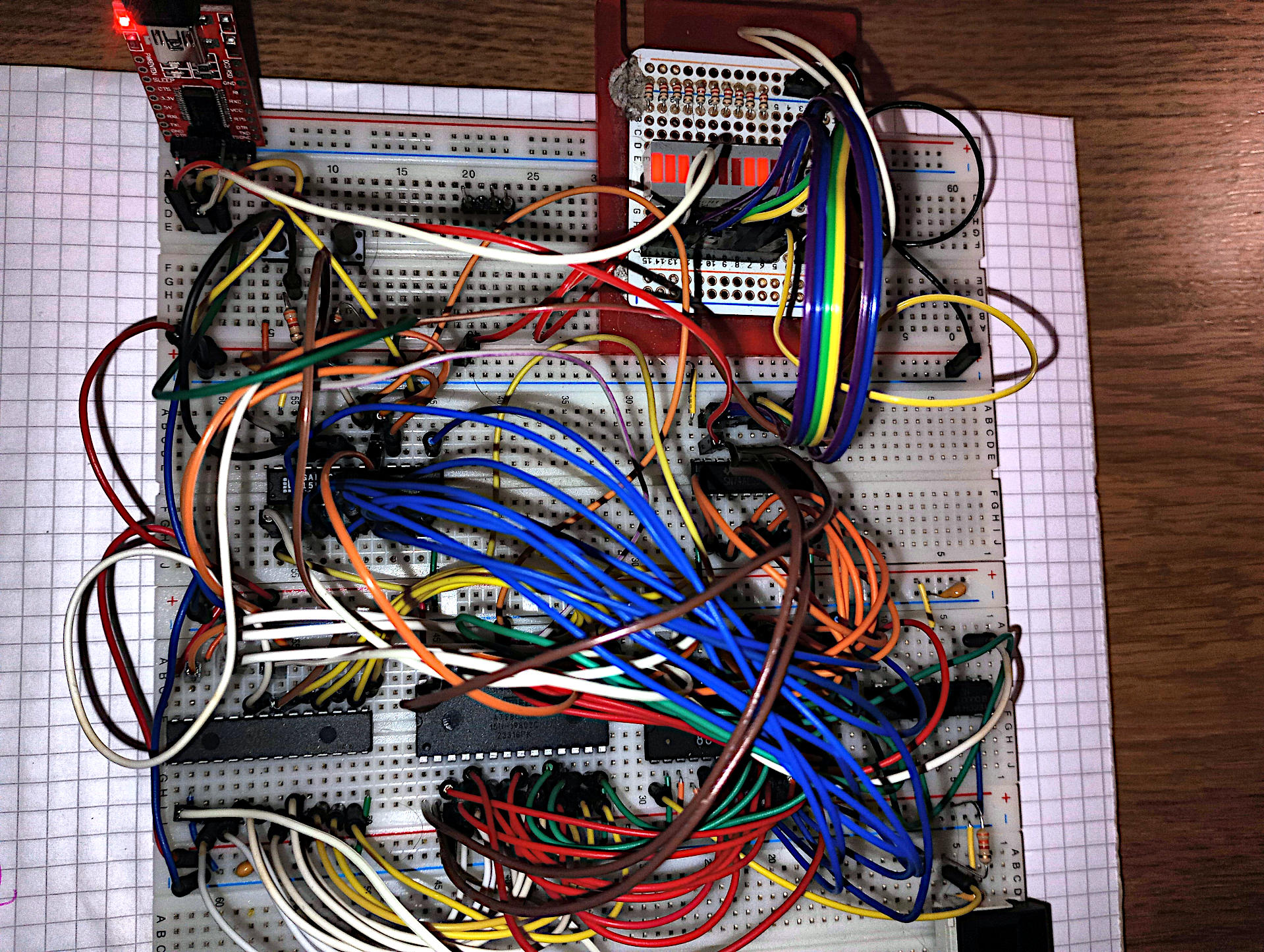
Some 12+ years ago the Raspberry Pi did demonstrate issues with USB power - that was partly an issue with the Pi (they stuck to the specs, no-one else did!) but mostly issues with the cheap, made-to-a-budget USB "power" supplies - the cheap ones are good enough to charge a phone battery but weren't good enough to run a Pi. Eventually people realised that if they spent just a pound more they'd get something better quality... Cable quality is a thing too - some really cheap USB cables have barely a whisker of wire in them.
I did find an issue with my PC a while back - my 65816 system stopped working reliably when I powered it from the front panel USB sockets but worked just fine when powered from the rear sockets - the front panel sockets were cable fed from the PC motherboard and I guess those cables weren't the best quality.
USB "power" is also a mis-undersood thing - originally you were only supposed to draw 100mA from a USB connector, then with some negotiation you could draw up to 500mA. In practice, as the negotiation had a cost implication it never happened (in cheaper systems). What you need to do when using pure USB (2) power (and not data) is to short the data lines together - that should tell the power source to supply full power (up to 2 amps nowadays). That's how phones, etc. go into "fast" charge mode - they have an internal SMPS that can take those 2 amps at 5 volts and convert it to what the battery and device needs.
USB-3 is another way for higher power and there are many devices on ebay (and elsewhere) that will take your USB-3 and deliver 5 volts at several amps, or 9, 15, or higher depending on the specification of the PSU. USB-3 is designed to be able to supply a variety of voltages up to 45 volts, if the PSU supports it. Most of the cheaper ones (and the Raspbery Pi v5 PSU) only got to 15v though.
See e.g. https://www.ebay.co.uk/itm/295636499200
The keyword here is USB PD (Power Delivery).
Here is a device to let you power an old 2Mhz 6502 based BBC Micro (which needs about 3 amps at 5 volts) from USB-3:
https://www.ebay.co.uk/itm/364384684179
Powering stuff via USB to just too easy these days - why clutter your desktop with separate power supplies if you don't need it.
Buck/boost converters are also "easy" these days - power a 5v project from 3 to 30v for a fivers worth of hardware off ebay if you have the board space to use one - I use these https://www.ebay.co.uk/itm/303568427553 in other projects and there is a version without the display for half the cost.
And if you do have to use a 7805 then use one of the many SMPS drop-in replacements. e.g. https://www.ebay.co.uk/itm/324317321059 yes, 10x the cost but at least you'll never burn your fingers on one...
-Gordon
--
Gordon Henderson.
See my Ruby 6502 and 65816 SBC projects here: https://projects.drogon.net/ruby/
Gordon Henderson.
See my Ruby 6502 and 65816 SBC projects here: https://projects.drogon.net/ruby/
-
BigDumbDinosaur

- Posts: 9425
- Joined: 28 May 2009
- Location: Midwestern USA (JB Pritzker’s dystopia)
- Contact:
Re: Let's start at the very beginning...
barnacle wrote:
Both the 74ACT138 and the 74LVC138 have response times with a wide range: from 1 to about 7-9 ns depending on family, in the TI datasheets. But even worst case, that's still pretty quick if you're not pushing the 65c02 to its limit.
My POC V1.2 unit easily handles 20 MHz using a 74AC138 (the ACT version isn’t need with a CMOS MPU). From the perspective of the glue logic (all 74AC), I was nowhere near the clock ceiling.
x86? We ain't got no x86. We don't NEED no stinking x86!
-
BigDumbDinosaur
- Posts: 9425
- Joined: 28 May 2009
- Location: Midwestern USA (JB Pritzker’s dystopia)
- Contact:
Re: Let's start at the very beginning...
DRG wrote:
BigDumbDinosaur wrote:
USB ports are good for powering thumb drives and charging phones, but they suck as a power source for a 6502 system. Lacking an actual computer-grade power supply, a 9 volt DC wall wart with at least a 500 mA rating, driving a 7805 regulator on the PCB, is better than any USB port.
Also, as Gordon says, watch out for USB cable quality, as it is all over the map. You might have a USB port that can power your contraption, only to have voltage loss in a cheaply-made cable.
I use an old ATX power supply salvaged from a PC to run my POC unit. The computer itself is all CMOS and doesn’t draw much current. However, the unit has a SCSI subsystem and the host adapter eats up a fair amount of power due to the Thevenin termination used on the SCSI bus. Adding to the load, I have two (mechanical) disks and a CD-ROM connected. Even a good-sized wall wart wouldn’t be able to power things.
x86? We ain't got no x86. We don't NEED no stinking x86!
Re: Let's start at the very beginning...
You’ll find a huge gap between datasheet and actual hardware. There are necessary margins between specifications and what one specific device can achieve within the nominal voltage, temperature, and manufacturing variability. In retro computing, the manufacturing process have improved over the decades since the specifications were originally written, so the devices on hand are much faster, lower power, greater voltage operation and greater voltage swing than the spec. Concerns about prop delays, rise times, operating voltage, and logic high voltage threshold are valid on paper, but not real obstacles in practice. After all these paper analysis, you may find your design run 2 times or more faster than the datasheet, and if you remove DS1813 voltage supervisor, you may find your design run much lower voltage than 5V (don’t be too surprised if it ran without power, just with active signals from your serial port at voltage down to 2V).
Bill
Bill
-
GARTHWILSON

- Forum Moderator
- Posts: 8773
- Joined: 30 Aug 2002
- Location: Southern California
- Contact:
Re: Let's start at the very beginning...
DRG, my apologies if you've already told us; but do you have an estimate of how much current draw you're anticipating? The #1 power hog I can think of is an LCD backlight. Next might be certain programmable-logic ICs or maybe crystal-oscillator cans (although the newer ones might be more miserly). The rest might not take much.
Cable quality is a thing too - some really cheap USB cables have barely a whisker of wire in them.
Common, thin USB cables and tiny connectors can have significant resistance. I designed a thing for work five years ago that they wanted to charge by USB, and I had to limit the USB current draw to 250mA, because although baseline USB power supply current capacity was supposed to be 500mA, pulling that much caused so much voltage drop that the 5V microcontroller I used to control the battery charging would go into brown-out reset. (In a revision, I made the microcontroller's power come from farther down the circuit, from where the voltage was already kicked up, so the microcontroller would get its 5V even if the input voltage sagged quite a bit.) For hobby work, you might be able to find adequate cable and connectors to make it work, since it's just a one-off thing; but I had to design with the idea that we don't have control over what cables and sources the customer might try to use to charge the device. The has been the only time I've designed anything at all that uses USB.
drogon wrote:
DRG wrote:
So, another one of my design ambitions bites the dust! A single USB cable to provide both power & comms isn't practical?
http://WilsonMinesCo.com/ lots of 6502 resources
The "second front page" is http://wilsonminesco.com/links.html .
What's an additional VIA among friends, anyhow?
The "second front page" is http://wilsonminesco.com/links.html .
What's an additional VIA among friends, anyhow?
Re: Let's start at the very beginning...
GARTHWILSON wrote:
DRG, my apologies if you've already told us; but do you have an estimate of how much current draw you're anticipating? The #1 power hog I can think of is an LCD backlight. Next might be certain programmable-logic ICs or maybe crystal-oscillator cans (although the newer ones might be more miserly). The rest might not take much.
A cursory summation of the ICs' current draw (based on my reading of the datasheets!) and assuming an operating frequency of 8MHz is coming out around 255 mA.
However, that doesn't take into account the work the VIA(s) may do in driving pins. Also, I haven't got a solution for serial comms yet. I was thinking of using Port A of the VIA to interface to a Nano that would supply power to the system as well as connecting to my PC.
Re: Let's start at the very beginning...
Right. I've had a go at the schematic. I've not done many and certainly never one this big before so, all-in-all, it'll probably be a little "rougher" than ones you're used to seeing.
Please feel free to comment on schematic drafting recommendations/tips as well as the substance of the design itself.
Dave
Please feel free to comment on schematic drafting recommendations/tips as well as the substance of the design itself.
Dave
- Attachments
-
- 65C02_v2_COLOUR.pdf
- (360.52 KiB) Downloaded 65 times
-
- 65C02_v2_MONO.pdf
- (359.39 KiB) Downloaded 81 times
Re: Let's start at the very beginning...
Decoupling capacitors between the power and ground, close to each chip? They don't need to be close on the diagram, but they do need to be there so they end up on the PCB, and they do need to be close there.
Neil
Neil
Re: Let's start at the very beginning...
barnacle wrote:
Decoupling capacitors between the power and ground, close to each chip? They don't need to be close on the diagram, but they do need to be there so they end up on the PCB, and they do need to be close there.
Neil
Neil
- Attachments
-
-
GARTHWILSON
- Forum Moderator
- Posts: 8773
- Joined: 30 Aug 2002
- Location: Southern California
- Contact:
Re: Let's start at the very beginning...
Quote:
How do you do this on the schematic? I have seen quite a few where the decoupling capacitors are "floating" on the schematic, not close to anything. I don't understand how they are associated with the Vcc, say, of one of the ICs.
Quote:
do we have to do that ourselves when laying out the PCB?
http://WilsonMinesCo.com/ lots of 6502 resources
The "second front page" is http://wilsonminesco.com/links.html .
What's an additional VIA among friends, anyhow?
The "second front page" is http://wilsonminesco.com/links.html .
What's an additional VIA among friends, anyhow?
Re: Let's start at the very beginning...
I'll generally _try_ and match capacitor numbers to IC numbers, and _usually_ mark the capacitor block as 'close to IC power pins' (though I forgot on that occasion. So IC1 gets C1, and IC2 gets C2... you get the idea. It breaks down a bit when you include something like an STM32Lxxxx microcontroller, which requires _nine_ capacitors if I recall correctly; in that case I'll often mark the capacitors actually attached to the power pins on the part.
But they are not optional; they've got to be there.
Neil
p.s. I recall one case where the boss got quite aerated: the (new) circuit board chap had laid out all the Cs in one corner of the board, per the circuit diagram...
But they are not optional; they've got to be there.
Neil
p.s. I recall one case where the boss got quite aerated: the (new) circuit board chap had laid out all the Cs in one corner of the board, per the circuit diagram...