Page 21 of 25
Re: Fleet Forth design considerations
Posted: Thu Jun 22, 2023 1:09 pm
by SamCoVT
Is the idea here to be able to "clean up" after you've messed up a word a few times? Does the programmer keep running this version of forget until it can't find the word anymore in order to clear it all out?
When I make a mistake while defining a word, it's always in the back of my mind that I used up a bit of dictionary space, but It's never really been an issue because 32K of RAM (on my SBC) is so much RAM for Forth. The only exception is running Tali Forth 2's test suite. That DOES use more than 32K of RAM and I had to use MARKERs.
Tali Forth has MARKER instead of FORGET (we've discussed the pros and cons of each briefly elsewhere in this forum) which rewinds all of the wordlists back to a previous point in time. It looks like you are doing this for vocabularies so that you end up with almost identical effect.
How do you handle resetting the system deferred words? Do you save their previous values somewhere (although I think you'd need to save ALL of their previous values if that were the case) or just reset them back to their defaults? That seems like a good idea and I might add that to my list of improvements for Tali2. I currently don't handle that particular situation, but I envision that it would be more user friendly for users that don't understand all of the internals.
Re: Fleet Forth design considerations
Posted: Fri Jun 23, 2023 12:41 am
by JimBoyd
Is the idea here to be able to "clean up" after you've messed up a word a few times? Does the programmer keep running this version of forget until it can't find the word anymore in order to clear it all out?
As for forgetting multiple words with the same name, I do this:
FORGET <SOME.NAME> >IN OFF
When FORGET can no longer find <SOME.NAME> , it aborts.
How do you handle resetting the system deferred words? Do you save their previous values somewhere (although I think you'd need to save ALL of their previous values if that were the case) or just reset them back to their defaults? That seems like a good idea and I might add that to my list of improvements for Tali2. I currently don't handle that particular situation, but I envision that it would be more user friendly for users that don't understand all of the internals.
This seemed like a prudent thing to do since some deferred words are used by the interpreter.
Care is required if a deferred word defined outside the kernel has its vector forgotten; however, this will not keep the Forth system from working.
Fleet Forth has a table of system deferred words and their default vectors.
Code: Select all
LABEL START.I&F
' EMIT      >BODY ,  0 ,
' EXPECT    >BODY ,  0 ,
' KEY       >BODY ,  0 ,
' I/C       >BODY ,  0 ,
LABEL END.IORESET
' INITIAL   >BODY ,  0 ,
' ERR       >BODY ,  0 ,
' VALID?    >BODY ,  0 ,
' DR/W      >BODY ,  0 ,
' RR/W      >BODY ,  0 ,
' T&S       >BODY ,  0 ,
LABEL END.FORGET
The labels mark the start of the table and two different endpoints. IORESET also uses this table to reset EMIT EXPECT KEY and I/C . I/C isn't an I/O word. The cold and warm start routines call IORESET so this will also reset the interpreter's Interpret/Compile word if I type the Run/Stop and Restore keys.
Code: Select all
: IORESET  ( -- )
   0
   [ END.IORESET ] LITERAL
   LABEL (IORESET)
   [ START.I&F ] LITERAL
   DO
      DUP  I @ @  U<
      IF
         I 2@ !
      THEN
   4 +LOOP
   DROP
   CLRCHN ;
For each of those four deferred words IORESET compares its vector with zero. FORGET places the new value of HERE and the address pointed to by the label END.FORGET on the data stack and branches into IORESET at the point with the label (IORESET) .
Here is where the default vectors are stored in the table.
Code: Select all
START.I&F
" TARGET  DUP @ @ OVER 2+ ! 4 +
  END.FORGET OVER 2+ U<
  HOST >IN !"
COUNT EVALUATE  TARGET
DROP
COMMENT:
;S THIS SYSTEM HAS EVALUATE.
   THE STRING IS REINTERPRETED AS
LONG AS THE COMPARISON IS FALSE.
   IN THIS SYSTEM ANY VALUE OF >IN
GREATER OR EQUAL TO THE SIZE OF THE
TEXT STREAM ENDS INTERPRETATION.
;COMMENT
You may have noticed there is one system deferred word missing from this table. PAUSE is not included in the table because FORGET calls SINGLE to switch off multitasking.
Code: Select all
: SINGLE  ( -- )
   ['] NOOP IS PAUSE ;
The cold start routine also calls EMPTY to reset the dictionary to its latest "empty point." EMPTY branches into the body of FORGET at the label (FORGET) .
Code: Select all
: EMPTY  ( -- )
   FORTH DEFINITIONS
   [ 'THERE ] LITERAL @
   DUP FENCE !
// BRANCH INTO FORGET
   BRANCH [ (FORGET) , ] -;
Since the cold start routine calls both IORESET and EMPTY , it may seem that some of the deferred words are getting reset twice. EMPTY and FORGET will only reset a deferred word if its vector has been forgotten. IORESET will always reset the first four deferred words in the table.
Re: Fleet Forth design considerations
Posted: Sun Jul 09, 2023 10:42 pm
by JimBoyd
Tracing by hand is useful when working out the logic of a yet to be written word. If a word is already defined, a TRACE word is useful to help find out where something is going wrong or verify that a word is working properly. A TRACE word is also useful when a hand trace is impractical, such as when testing coroutines.
I have on more than one occasion mentioned Blazin' Forth's TRACE word. I had a version of TRACE modified to work with Fleet Forth and have enhanced it to some degree. I finally got around to writing Fleet Forth's own TRACE word inspired by Blazin' Forth, but taking advantage of Fleet Forth's >FORTH and >ASSEM . Fleet Forth's TRACE functionality, while having a look and feel similar to Blazin' Forth's TRACE , is implemented differently.
>NEXT and NEXT> are used to patch and restore NEXT .
Blazin' Forth's word >NEXT patches NEXT roughly in the middle. Fleet Forth's >NEXT patches NEXT as close to the beginning as possible. There is a primitive, BRANCH , which jumps to NEXT 2+ to save two cycles because it leaves a one in the Y-register; therefore, the earliest point NEXT can be patched, without re-implementing BRANCH , is two bytes in.
Code: Select all
CODE >NEXT ( ADR -- )
   // POINTS NEXT TO ADR
   $4C # LDA  NEXT 2+ STA
   0 ,X LDA  NEXT 3 + STA
   1 ,X LDA  NEXT 4 + STA
   POP JMP  END-CODE
This leaves the first instruction of NEXT intact and overwrites the next two. The other instructions in NEXT are intact.
NEXT> restores NEXT . It is included in the kernel so FORGET can restore NEXT .
Code: Select all
   LABEL NEXT
   1 # LDY
   LABEL NEXT1
   IP )Y LDA  W 1+ STA  DEY
   LABEL NEXT2
   IP )Y LDA  W STA
   1 # LDA
   SEC  IP ADC  IP STA
   CS NOT IF
      W 1- JMP
   THEN
   IP 1+ INC
   W 1- JMP  END-CODE

CODE NEXT>  ( -- )  // RESTORE NEXT
   2 # LDY
   BEGIN
      NEXT2 ,Y LDA
      NEXT1 ,Y STA   DEY
   0< UNTIL
   NEXT JMP  END-CODE
Two variables, <IP and IP> , are used to check if IP is in the address range for a TRACE .
TRACE gets a name from the text stream and uses AFIND to find where that word ends.
AFIND takes an address, any address, and finds the nearest link fields below and above that address. It checks all vocabularies. It's reasonably fast because it uses a primitive to search a vocabulary for the nearest link fields above and below. Fleet Forth already uses this word for some components of SEE .
Code: Select all
: TRACE  ( ++ )
   NEXT>
   ' AFIND NIP  IP> ! <IP !
   STEP >NEXT ;
STEP is a SUBR , a subroutine in Fleet Forth. It returns its PFA just like a VARIABLE . TRACE stores the beginning and end of a word in <IP and IP> respectively and patches NEXT to jump to the body of STEP .
Code: Select all
SUBR STEP
   <IP LDA  IP CMP
   <IP 1+ LDA  IP 1+ SBC
   CS NOT IF
      IP> LDA  IP CMP
      IP> 1+ LDA  IP 1+ SBC
   CS NOT ELIF
   BEGIN  CS-SWAP
      IP )Y LDA  W 1+ STA
      NEXT 6 + JMP
   THEN
   >FORTH
   NEXT>  R@ HLD @ >R +PAD
   CR .STEP
   KEY DUP ASCII" {RUN/STOP}" =
   IF  DROP NOTRACE  THEN
   ASCII" {CONTROL-P}" =
   IF
      CON OFF
      BEGIN
         CR ." P? "  QUERY INTERPRET
         STATE @ 0= IF  ."  OK" THEN
         CON @
      UNTIL
   THEN
   -PAD  R> HLD !  RECURSE >NEXT
   >ASSEM
   INY
   0= UNTIL  END-CODE
The following tests if IP is in the range for a TRACE .
Code: Select all
   <IP LDA  IP CMP
   <IP 1+ LDA  IP 1+ SBC
   CS NOT IF
      IP> LDA  IP CMP
      IP> 1+ LDA  IP 1+ SBC
   CS NOT ELIF
BEGIN CS-SWAP just marks the destination for a backward jump and places that information under the control flow data for the IF ELIF THEN structure.
When IP is not in range, NEXT needs to run to completion. Since the Y-register is not altered by the comparison, it still holds a value of one. The following does the work of the overwritten instructions in NEXT and jumps to the rest of NEXT .
When IP is in range, the rest of STEP runs.
Code: Select all
>FORTH
NEXT> R@ HLD @ >R +PAD
CR .STEP
KEY DUP ASCII" {RUN/STOP}" =
IF DROP NOTRACE THEN
STEP shifts to high level Forth. NEXT> switches off tracing. The top of the return stack is fetched. This will be the value of IP pushed there by the shift to high level Forth. The current value of HLD is pushed on the return stack and the gap between HERE and PAD is altered.
Code: Select all
: +PAD
$FF ?MEM
[ ' PAD >BODY 4 + ] LITERAL C! ;
This allows tracing pictured numeric output words.
.STEP displays the information such as the name of the word about to be executed and the contents of the data stack, for this step. .STEP is a DEFERred word so it can be set to an appropriate display word for the given trace.
Code: Select all
DEFER .STEP
: (.ST1) ( IP -- )
@ .NAME TAB .S ;
' (.ST1) IS .STEP
: (.ST2) ( IP -- )
(.ST1) CR TAB .AS ;
: (.ST3) ( IP -- )
(.ST2)
2R> .RS 2>R ;
(.ST2) would be useful when tracing a word which uses the auxiliary stack and (.ST3) would be useful when tracing coroutine words since it shows the contents of the return stack.
{RUN/STOP} and {CONTROL-P} are where the RUN/STOP and CONTROL-P keys are used on the Commodore 64. They do not display properly in a print dump.
If the RUN/STOP key is pressed, tracing stops. STEP calls NOTRACE which restores NEXT , restores the gap between HERE and PAD then QUITs. Before NOTRACE runs, NEXT is already restored, but NOTRACE can also be used at the command line.
Code: Select all
: -PAD
$55
BRANCH [ ' +PAD >BODY 5 + , ] -;
: NOTRACE
NEXT> -PAD
." TRACING OFF" QUIT -;
If the Control-P key combination is pressed, a mini quit loop runs. This is useful for checking other data or changing some of the items on the return stack.
Code: Select all
ASCII" {CONTROL-P}" =
IF
CON OFF
BEGIN
CR ." P? " QUERY INTERPRET
STATE @ 0= IF ." OK" THEN
CON @
UNTIL
THEN
The mini quit loop runs until the word CONT is entered.
If a word being traced is about to branch out to another word, the trace can be changed to that word.
An example is FORGET . It branches into IORESET . When the trace shows that the branch to IORESET is to be executed, I can press Control-P. While in the mini quit loop I can type the following to resume tracing where FORGET branches.
Code: Select all
-PAD R> HLD ! RECURSE >NEXT
>ASSEM
INY
0= UNTIL END-CODE
STEP restores the gap between HERE and PAD and restores the previous value of HLD .
Although RECURSE is used, STEP is not recursive. RECURSE compiles STEP which places its PFA on the data stack. This value is used to patch NEXT so tracing can continue. >ASSEM shifts the word to low level code. In the process of shifting to low level >ASSEM performs the function of EXIT by pulling the top value from the return stack and storing it in IP . At this point the Y-register has a value of zero. It is incremented followed by a jump to the address marked by BEGIN .
Code: Select all
BEGIN CS-SWAP
      IP )Y LDA  W 1+ STA
      NEXT 6 + JMP
There is another tool I like from Blazin' Forth, WATCH . WATCH watches two consecutive memory locations (16 bits) such as a VARIABLE , VALUE or other location which is getting changed unexpectedly. Here is Fleet Forth's implementation.
Code: Select all
: WATCH ( ADR -- )
DUP @ EYE !
// PATCH LOOK
DUP LOOK 1+ !
1+ LOOK 9 + !
LOOK >NEXT ;
WATCH stores the original 16 bit value from the address on the stack in the variable EYE . It then patches the SUBRoutine LOOK with the address.
Code: Select all
VARIABLE EYE
SUBR LOOK
TRUE LDA EYE CMP
0= IF
TRUE LDA EYE 1+ CMP
0= IF
IP )Y LDA W 1+ STA
NEXT 6 + JMP
THEN
THEN
INY
BEGIN
NEXT 7 + ,Y LDA
NEXT 2+ ,Y STA DEY
0< UNTIL
>FORTH
.RS TRUE
ABORT" WATCHED MEMORY ALTERED" -;
The following tests if the memory locations have been altered.
Code: Select all
TRUE LDA EYE CMP
0= IF
TRUE LDA EYE 1+ CMP
0= IF
At this point the Y-register has a value of one. If the memory under observation has not been changed, go back to NEXT the same as STEP
If the memory under observation has been altered, NEXT must be restored before shifting to high level to avoid "infinite recursion."
Code: Select all
INY
BEGIN
NEXT 7 + ,Y LDA
NEXT 2+ ,Y STA DEY
0< UNTIL
With NEXT restored, LOOK shifts to high level. The high level section displays the return stack with .RS and aborts with the message "WATCHED MEMORY ALTERED."
The session log of the test.
Code: Select all
OK
VARIABLE NONESUCH OK
$1234 NONESUCH ! OK
NONESUCH WATCH OK
: TEST
1 NONESUCH +! ; OK
: TEST2 TEST ; OK
: TEST3 TEST2 ; OK
TEST3
22464 LOOK
23515 TEST
23531 TEST2
23547 TEST3
8557 (I/C)
8629 INTERPRET
8724 QUIT
TEST3
^^^^^
WATCHED MEMORY ALTERED
Re: Fleet Forth design considerations
Posted: Tue Jul 18, 2023 8:12 pm
by JimBoyd
I wish I had Fleet Forth's new TRACE back when I presented coroutines in Fleet Forth.
.RS was rewritten to support an improvement to (.ST3) which removes another artifact of the trace from the display of the return stack.
Code: Select all
: .RS ( -- )
RP0 @ RP@
SETWIDTH
DO
CR I 1+ @ DUP U.W
2- AFIND 2PICK U< 0= OVER 0<>
AND AND NIP ?DUP
IF
L>NAME ID.
THEN
2
+LOOP -;
' CR >BODY HERE 2- @ 2- !
.RS is one cell smaller and the first three words in .RS are now
which makes the improved (.ST3) slightly smaller.
Code: Select all
: (.ST3) ( IP -- )
(.ST2) RP0 @ RP@ 2+ 2+
BRANCH [ ' .RS >BODY 6 + , ] -;
(.ST4) adds a few carriage returns for clarity.
Code: Select all
: (.ST4) ( IP -- )
[ ' CR >BODY ] LITERAL >R
CR (.ST2) CR RP0 @ RP@ 6 +
BRANCH [ ' .RS >BODY 6 + , ] -;
The following coroutine words were used as a test of TRACE using (.ST3) for the step display.
Code: Select all
: CO1
BEGIN 1+ DUP . CO AGAIN ;
: CO2
CR 0 CO1
BEGIN
1- DUP . CO DONE?
UNTIL
R> 2DROP ;
This is part of a session log from the trace.
Code: Select all
' (.ST3) IS .STEP OK
TRACE CO2 OK
' CO1 <IP ! OK
CO2
CR EMPTY
EMPTY
23511 CO2
8557 (I/C)
8629 INTERPRET
8724 QUIT
0 EMPTY
EMPTY
23513 CO2
8557 (I/C)
8629 INTERPRET
8724 QUIT
CO1 0
EMPTY
23515 CO2
8557 (I/C)
8629 INTERPRET
8724 QUIT
1+ 0
EMPTY
23489 CO1
23517 CO2
8557 (I/C)
8629 INTERPRET
8724 QUIT
DUP 1
EMPTY
23491 CO1
23517 CO2
8557 (I/C)
8629 INTERPRET
8724 QUIT
. 1 1
EMPTY
23493 CO1
23517 CO2
8557 (I/C)
8629 INTERPRET
8724 QUIT
1
CO 1
EMPTY
23495 CO1
23517 CO2
8557 (I/C)
8629 INTERPRET
8724 QUIT
1- 1
EMPTY
23517 CO2
23497 CO1
8557 (I/C)
8629 INTERPRET
8724 QUIT
DUP 0
EMPTY
23519 CO2
23497 CO1
8557 (I/C)
8629 INTERPRET
8724 QUIT
. 0 0
EMPTY
23521 CO2
23497 CO1
8557 (I/C)
8629 INTERPRET
8724 QUIT
0
CO 0
EMPTY
23523 CO2
23497 CO1
8557 (I/C)
8629 INTERPRET
8724 QUIT
BRANCH 0
EMPTY
23497 CO1
23525 CO2
8557 (I/C)
8629 INTERPRET
8724 QUIT
TRACING OFF
CONSOLE
sets <IP and IP> to the beginning and end of CO2 .
sets <IP to the beginning of CO1 .
CO1 is defined before CO2 ; therefore, both words will be traced. If any words had been defined between CO1 and CO2 they would also have been traced when executed.
CO1 and CO2 can be seen trading places in IP and on the top of the return stack every time CO is executed.
what the trace looks like using (.ST1) .
Code: Select all
' (.ST1) IS .STEP OK
TRACE CO2 OK
' CO1 <IP ! OK
CO2
CR EMPTY
0 EMPTY
CO1 0
1+ 0
DUP 1
. 1 1 1
CO 1
1- 1
DUP 0
. 0 0 0
CO 0
BRANCH 0 TRACING OFF
CONSOLE
An excerpt from the session log with comments added.
Code: Select all
. 0 0 \ Word to be executed and data stack contents.
EMPTY \ Auxiliary stack contents.
23521 CO2 \ Contents of IP.
23497 CO1 \ These four lines show
8557 (I/C) \ the contents of
8629 INTERPRET \ the return stack.
8724 QUIT \
0 \ Value displayed by . (dot)
Jut to be clear, that period is not an intrinsic part of the display when using (.ST3) . It is the Forth word dot.
Note that the word shown in the TRACE has not been executed yet. The display shows the contents of the stacks and IP prior to execution.
If CO2 were executed from the command line, the information shown during the trace is exactly what would be in IP and the stacks.
Unlike a hand trace, TRACE can trace a word which stores items on the return stack. Using (.ST3) for the step display word makes it easier to follow what is happening when tracing more complex coroutine words such as WITH-WORDS .
Code: Select all
: WITH-WORDS ( -- NFA )
CONTEXT @
AHEAD
BEGIN
DUP R@ 2>R L>NAME CO R>
CS-SWAP THEN
@ DUP 0= DONE? OR
UNTIL
R> 2DROP ;
A simple word using WITH-WORDS was defined to demonstrate tracing WITH-WORDS .
Code: Select all
: #WORDS ( -- N )
0 WITH-WORDS DROP 1+ ;
A testbed vocabulary was created and two words defined. This is an excerpt from the session log showing the trace of WITH-WORDS
Code: Select all
TRACE WITH-WORDS OK
#WORDS
CONTEXT 0
EMPTY
16950 WITH-WORDS
23572 #WORDS
8557 (I/C)
8629 INTERPRET
8724 QUIT
@ 0 2590
EMPTY
16952 WITH-WORDS
23572 #WORDS
8557 (I/C)
8629 INTERPRET
8724 QUIT
BRANCH 0 23592
EMPTY
16954 WITH-WORDS
23572 #WORDS
8557 (I/C)
8629 INTERPRET
8724 QUIT
@ 0 23592
EMPTY
16970 WITH-WORDS
23572 #WORDS
8557 (I/C)
8629 INTERPRET
8724 QUIT
DUP 0 23615
EMPTY
16972 WITH-WORDS
23572 #WORDS
8557 (I/C)
8629 INTERPRET
8724 QUIT
0= 0 23615 23615
EMPTY
16974 WITH-WORDS
23572 #WORDS
8557 (I/C)
8629 INTERPRET
8724 QUIT
DONE? 0 23615 0
EMPTY
16976 WITH-WORDS
23572 #WORDS
8557 (I/C)
8629 INTERPRET
8724 QUIT
OR 0 23615 0 0
EMPTY
16978 WITH-WORDS
23572 #WORDS
8557 (I/C)
8629 INTERPRET
8724 QUIT
?BRANCH 0 23615 0
EMPTY
16980 WITH-WORDS
23572 #WORDS
8557 (I/C)
8629 INTERPRET
8724 QUIT
DUP 0 23615
EMPTY
16958 WITH-WORDS
23572 #WORDS
8557 (I/C)
8629 INTERPRET
8724 QUIT
R@ 0 23615 23615
EMPTY
16960 WITH-WORDS
23572 #WORDS
8557 (I/C)
8629 INTERPRET
8724 QUIT
2>R 0 23615 23615 23572
EMPTY
16962 WITH-WORDS
23572 #WORDS
8557 (I/C)
8629 INTERPRET
8724 QUIT
L>NAME 0 23615
EMPTY
16964 WITH-WORDS
23572 #WORDS
23615 FOOBAR
23572 #WORDS
8557 (I/C)
8629 INTERPRET
8724 QUIT
CO 0 23617
EMPTY
16966 WITH-WORDS
23572 #WORDS
23615 FOOBAR
23572 #WORDS
8557 (I/C)
8629 INTERPRET
8724 QUIT
R> 1
EMPTY
16968 WITH-WORDS
23615 FOOBAR
23572 #WORDS
8557 (I/C)
8629 INTERPRET
8724 QUIT
@ 1 23615
EMPTY
16970 WITH-WORDS
23572 #WORDS
8557 (I/C)
8629 INTERPRET
8724 QUIT
DUP 1 23600
EMPTY
16972 WITH-WORDS
23572 #WORDS
8557 (I/C)
8629 INTERPRET
8724 QUIT
0= 1 23600 23600
EMPTY
16974 WITH-WORDS
23572 #WORDS
8557 (I/C)
8629 INTERPRET
8724 QUIT
DONE? 1 23600 0
EMPTY
16976 WITH-WORDS
23572 #WORDS
8557 (I/C)
8629 INTERPRET
8724 QUIT
OR 1 23600 0 0
EMPTY
16978 WITH-WORDS
23572 #WORDS
8557 (I/C)
8629 INTERPRET
8724 QUIT
?BRANCH 1 23600 0
EMPTY
16980 WITH-WORDS
23572 #WORDS
8557 (I/C)
8629 INTERPRET
8724 QUIT
DUP 1 23600
EMPTY
16958 WITH-WORDS
23572 #WORDS
8557 (I/C)
8629 INTERPRET
8724 QUIT
R@ 1 23600 23600
EMPTY
16960 WITH-WORDS
23572 #WORDS
8557 (I/C)
8629 INTERPRET
8724 QUIT
2>R 1 23600 23600 23572
EMPTY
16962 WITH-WORDS
23572 #WORDS
8557 (I/C)
8629 INTERPRET
8724 QUIT
L>NAME 1 23600
EMPTY
16964 WITH-WORDS
23572 #WORDS
23600 TESTBED
23572 #WORDS
8557 (I/C)
8629 INTERPRET
8724 QUIT
CO 1 23602
EMPTY
16966 WITH-WORDS
23572 #WORDS
23600 TESTBED
23572 #WORDS
8557 (I/C)
8629 INTERPRET
8724 QUIT
R> 2
EMPTY
16968 WITH-WORDS
23600 TESTBED
23572 #WORDS
8557 (I/C)
8629 INTERPRET
8724 QUIT
@ 2 23600
EMPTY
16970 WITH-WORDS
23572 #WORDS
8557 (I/C)
8629 INTERPRET
8724 QUIT
DUP 2 0
EMPTY
16972 WITH-WORDS
23572 #WORDS
8557 (I/C)
8629 INTERPRET
8724 QUIT
0= 2 0 0
EMPTY
16974 WITH-WORDS
23572 #WORDS
8557 (I/C)
8629 INTERPRET
8724 QUIT
DONE? 2 0 65535
EMPTY
16976 WITH-WORDS
23572 #WORDS
8557 (I/C)
8629 INTERPRET
8724 QUIT
OR 2 0 65535 0
EMPTY
16978 WITH-WORDS
23572 #WORDS
8557 (I/C)
8629 INTERPRET
8724 QUIT
?BRANCH 2 0 65535
EMPTY
16980 WITH-WORDS
23572 #WORDS
8557 (I/C)
8629 INTERPRET
8724 QUIT
R> 2 0
EMPTY
16984 WITH-WORDS
23572 #WORDS
8557 (I/C)
8629 INTERPRET
8724 QUIT
2DROP 2 0 23572
EMPTY
16986 WITH-WORDS
8557 (I/C)
8629 INTERPRET
8724 QUIT
EXIT 2
EMPTY
16988 WITH-WORDS
8557 (I/C)
8629 INTERPRET
8724 QUIT
OK
. 2 OK
And an excerpt showing the trace of #WORDS
Code: Select all
TRACE #WORDS OK
.S EMPTY OK
#WORDS
0 EMPTY
EMPTY
23568 #WORDS
8557 (I/C)
8629 INTERPRET
8724 QUIT
WITH-WORDS 0
EMPTY
23570 #WORDS
8557 (I/C)
8629 INTERPRET
8724 QUIT
DROP 0 23617
EMPTY
23572 #WORDS
16968 WITH-WORDS
23615 FOOBAR
23572 #WORDS
8557 (I/C)
8629 INTERPRET
8724 QUIT
1+ 0
EMPTY
23574 #WORDS
16968 WITH-WORDS
23615 FOOBAR
23572 #WORDS
8557 (I/C)
8629 INTERPRET
8724 QUIT
EXIT 1
EMPTY
23576 #WORDS
16968 WITH-WORDS
23615 FOOBAR
23572 #WORDS
8557 (I/C)
8629 INTERPRET
8724 QUIT
DROP 1 23602
EMPTY
23572 #WORDS
16968 WITH-WORDS
23600 TESTBED
23572 #WORDS
8557 (I/C)
8629 INTERPRET
8724 QUIT
1+ 1
EMPTY
23574 #WORDS
16968 WITH-WORDS
23600 TESTBED
23572 #WORDS
8557 (I/C)
8629 INTERPRET
8724 QUIT
EXIT 2
EMPTY
23576 #WORDS
16968 WITH-WORDS
23600 TESTBED
23572 #WORDS
8557 (I/C)
8629 INTERPRET
8724 QUIT
OK
. 2 OK
CONSOLE
There is one caveat. Never trace STEP !
STEP will only run during a trace. Executing STEP returns its PFA ; therefore, the following is harmless.
However, addresses can be stored in <IP and IP> to trace a range of words. If STEP is within that range, when one of the words in that range is traced, STEP will try to trace itself recursively.
WITH-WORDS and RB are two coroutine words which don't strictly behave as coroutines. Rather than switching places with another coroutine, each of these is a creative use of the coroutine word CO . There is another Fleet Forth word, IN-NAME , which searches all the names of the CONTEXT VOCABULARY for a sub string. It uses the coroutine words AFTER-DROP and WITH-WORDS .
(.ST3) really shines when analyzing the execution of a word like IN-NAME or even Fleet Forth's version of EVALUATE .
The source.
Code: Select all
: EVALUATE ( ADR CNT -- )
TIB #TIB @ 2>R
LIT [ >MARK ] ENTER
0 0 LIT
[ ' LINELOAD >BODY DUP TRUE
" LOAD 0" COUNT MATCH ?HUH
+ , ]
ENTER
2R>
[ >RESOLVE ]
#TIB ! (IS) TIB ;
The de-compilation.
Code: Select all
SEE EVALUATE
EVALUATE
16390 2761 TIB
16392 2623 #TIB
16394 3593 @
16396 4768 2>R
16398 3286 LIT 16416
16402 13953 ENTER
16404 3325 0
16406 3325 0
16408 3286 LIT 11109
16412 13953 ENTER
16414 4791 2R>
16416 2623 #TIB
16418 2230 !
16420 7834 (IS)
16422 2761 TIB
16424 2480 EXIT
36
OK
And the log of the test run.
Code: Select all
OK
: MESSAGE ." NOTHING TO SEE HERE!" ; OK
" CR MESSAGE CR TAB MESSAGE" OK
.S 23609 OK
COUNT EVALUATE
NOTHING TO SEE HERE!
NOTHING TO SEE HERE! OK
SEE .STEP
.STEP DEFERED TO (.ST3) 22251 OK
TRACE EVALUATE OK
.S EMPTY OK
PAD COUNT EVALUATE
TIB 23610 25
EMPTY
16390 EVALUATE
8557 (I/C)
8629 INTERPRET
8724 QUIT
#TIB 23610 25 679
EMPTY
16392 EVALUATE
8557 (I/C)
8629 INTERPRET
8724 QUIT
@ 23610 25 679 2625
EMPTY
16394 EVALUATE
8557 (I/C)
8629 INTERPRET
8724 QUIT
2>R 23610 25 679 18
EMPTY
16396 EVALUATE
8557 (I/C)
8629 INTERPRET
8724 QUIT
LIT 23610 25
EMPTY
16398 EVALUATE
18
679
8557 (I/C)
8629 INTERPRET
8724 QUIT
ENTER 23610 25 16416
EMPTY
16402 EVALUATE
18
679
8557 (I/C)
8629 INTERPRET
8724 QUIT
#TIB 23610 25
EMPTY
16416 EVALUATE
16404 EVALUATE
18
679
8557 (I/C)
8629 INTERPRET
8724 QUIT
! 23610 25 2625
EMPTY
16418 EVALUATE
16404 EVALUATE
18
679
8557 (I/C)
8629 INTERPRET
8724 QUIT
(IS) 23610
EMPTY
16420 EVALUATE
16404 EVALUATE
18
679
8557 (I/C)
8629 INTERPRET
8724 QUIT
EXIT EMPTY
EMPTY
16424 EVALUATE
16404 EVALUATE
18
679
8557 (I/C)
8629 INTERPRET
8724 QUIT
0 EMPTY
EMPTY
16404 EVALUATE
18
679
8557 (I/C)
8629 INTERPRET
8724 QUIT
0 0
EMPTY
16406 EVALUATE
18
679
8557 (I/C)
8629 INTERPRET
8724 QUIT
LIT 0 0
EMPTY
16408 EVALUATE
18
679
8557 (I/C)
8629 INTERPRET
8724 QUIT
ENTER 0 0 11109
EMPTY
16412 EVALUATE
18
679
8557 (I/C)
8629 INTERPRET
8724 QUIT
NOTHING TO SEE HERE!
NOTHING TO SEE HERE!
2R> EMPTY
EMPTY
16414 EVALUATE
18
679
8557 (I/C)
8629 INTERPRET
8724 QUIT
#TIB 679 18
EMPTY
16416 EVALUATE
8557 (I/C)
8629 INTERPRET
8724 QUIT
! 679 18 2625
EMPTY
16418 EVALUATE
8557 (I/C)
8629 INTERPRET
8724 QUIT
(IS) 679
EMPTY
16420 EVALUATE
8557 (I/C)
8629 INTERPRET
8724 QUIT
EXIT EMPTY
EMPTY
16424 EVALUATE
8557 (I/C)
8629 INTERPRET
8724 QUIT
OK
In summary: Fleet Forth's TRACE is, in my opinion, a cleaner implementation of TRACE than the one from Blazin' Forth. The biggest improvement is also the simplest. The use of a DEFERred word to display the information for a step. A custom display word can be written to display the most relevant information for a given trace.
Re: Fleet Forth design considerations
Posted: Fri Jul 21, 2023 11:21 pm
by JimBoyd
I have noticed the occasional programming challenge on this forum. Here is a programming challenge in Forth.
While improving some feature in Fleet Forth, I wrote a test word and the results were as expected. The word begins like this:
and end like this:
Here is a session log showing interactive use of the test word. I typed TEST (as well as its two parameters) and I typed RESET . Everything else is Fleet Forth's response.
Code: Select all
0 5 TEST
HEAD: 0
TAIL: 1^
2^^
3^^^
4^
5^^ OK
0 5 TEST
0^^^
1^
2^^
3^^^
4^
5^^ OK
0 19 TEST
0^^^
1^
2^^
3^^^
4^
5^^
6^^^
7^
8^^
9^^^
10^
11^^
12^^^
13^
14^^
15^^^
16^
17^^
18^^^
19^ OK
20 39 TEST
20^^
21^^^
22^
23^^
24^^^
25^
26^^
27^^^
28^
29^^
30^^^
31^
32^^
33^^^
34^
35^^
36^^^
37^
38^^
39^^^ OK
-10 10 TEST
-10^
-9^^
-8^^^
-7^
-6^^
-5^^^
-4^
-3^^
-2^^^
-1^
0^^
1^^^
2^
3^^
4^^^
5^
6^^
7^^^
8^
9^^
10^^^ OK
RESET OK
-10 10 TEST
HEAD: -10
TAIL: -9^
-8^^
-7^^^
-6^
-5^^
-4^^^
-3^
-2^^
-1^^^
0^
1^^
2^^^
3^
4^^
5^^^
6^
7^^
8^^^
9^
10^^ OK
0 5 TEST
0^^^
1^
2^^
3^^^
4^
5^^ OK
RESET OK
0 5 TEST
HEAD: 0
TAIL: 1^
2^^
3^^^
4^
5^^ OK
Can any of my fellow Forthwrites deduce a likely body for the DO LOOP in TEST ?
Re: Fleet Forth design considerations
Posted: Sat Jul 22, 2023 6:33 am
by barrym95838
Inside the DO loop you appear to have I . and a variable or other persistent cell that you're using for the caret count and resetting to 1 if it hits 4 after incrementing. RESET seems to return the variable to 0, which also triggers the HEAD: TAIL: response when TEST sees it. That's about as far as my feeble limits can carry me at present. Am I nipping at the wrong tire?
Re: Fleet Forth design considerations
Posted: Sun Jul 23, 2023 8:49 pm
by JimBoyd
First, thank you for your response.
I stated in my post that I wrote the test word while improving some feature in Fleet Forth; therefore, it's going to be more generic than just using a counter.
Not too long ago I read about how coroutines do not play well with DO LOOPs. Consider two coroutine words which trade places with each other as the currently running word, the norm for coroutines. If one of the coroutine words has a BEGIN loop, it can launch the other coroutine word before entering the BEGIN loop and can remove the other coroutine word after leaving the BEGIN loop. When one of the coroutine words has a DO LOOP , anything which alters the return stack within the body of the loop has to restore it before the next iteration or before the loop terminates. Parameters can not be passed into the loop on the return stack. Not portably. To launch the second coroutine word in a loop requires knowing if this is the first pass through the loop. A VARIABLE can be used for this, but the variable would need reset before entering the loop to insure the coroutine word is launched. The difficult problem is removing the other coroutine word from the return stack on the last pass through the loop.
I realized a halting colon definition does not have this problem. Neither does Leo Brodie's DOER/MAKE .
The source for halting colon definitions was improved to add resetting a halting colon definition.
Code: Select all
: H:
: ( -- ADR TRUE )
HERE 2+ , [ HERE 2+ >A ]
DOES> ( -- )
@ >R ;
: (HALT) ( R: ADR -- )
R@ 2+ R> @ >BODY ! ;
: ?H: ( CFA -- )
@ [ A> ] LITERAL <>
ABORT" NON HALTING WORD" ;
: HALT LATEST NAME> ?H:
COMPILE (HALT) [COMPILE] RECURSE
; IMMEDIATE
: HRESET ( CFA -- )
DUP ?H: >BODY DUP 2+ SWAP! ;
Here is the source for TEST and RESET
Code: Select all
: TEST ( LO HI -- )
1+ SWAP
DO
STREAM I 3 .R ARROWS
LOOP ;
: RESET
['] ARROWS HRESET
['] STREAM HRESET ;
STREAM and ARROWS are both halting colon definitions.
Code: Select all
H: STREAM ( N -- )
CR ." HEAD: " HALT
CR ." TAIL: "
BEGIN
HALT
CR 6 SPACES
AGAIN -;
H: ARROWS ( -- )
BEGIN
HALT ." ^"
HALT ." ^^"
HALT ." ^^^"
AGAIN -;
As I mentioned in the post on halting colon definitions, HALT is like an EXIT which also tells the halting colon definition where to resume the next time it is run.
A halting colon definition isn't as efficient as a coroutine word. One cell is required to compile CO. HALT is an immediate word which compiles two cells. A halting colon definition can be used in places where a coroutine word can't. On the other hand, coroutines can be used where a halting colon definition can't. One example is RB . A word which calls RB can, without problems, call another word which calls RB because RB saves its state on the return stack. A halting colon definition saves its state (where it should resume) in its own parameter field.
I also mentioned in that post:
If round robin multitasking will not be used, to avoid splitting the stacks into smaller areas for each task, PAUSE can be vectored to a 'run to completion' word. There are two caveats. Any word PAUSE is vectored to must leave the stacks as they were when it began. It, and all the words it executes, must not execute PAUSE to avoid runaway recursion.
If this run to completion word will not be run from the command line, SINGLE can be used to set PAUSE to NOOP , a no-op, at the beginning of the word and PAUSE can be restored at the end.
Example run to completion word with halting colon definitions and a normal colon definition.
Code: Select all
H: HCD1 <DO SOME STUFF> ;
H: HCD2 <DO OTHER STUFF> ;
H: HCD3 <DO DIFFERENT STUFF> ;
: NCD <DO ONE THING> ;
: BACKGROUND
SINGLE
HCD1 HCD2 HCD3 NCD
LIT RECURSE IS PAUSE ;
' BACKGROUND IS PAUSE
Actually, running BACKGROUND from the command line would run it and install it as the (simulated) multitasker.
NCD , the Normal Colon Definition, does the same thing each time BACKGROUND runs.
Re: Fleet Forth design considerations
Posted: Thu Jul 27, 2023 8:34 pm
by JimBoyd
A few posts back I wrote about Fleet Forth's new TRACE .
I like TRACE and my STC version of Fleet Forth will support it and other tools, such as WATCH , which depend on patching NEXT .
The STC version of Fleet Forth is on a back burner for now. I don't have the uninterrupted spans of free time to work out some of the technical details. When I resume, there will be two versions of the STC version of Fleet Forth. One will have primitives which end with RTS . The other will have primitives which end with a jump to NEXT . This NEXT will just be RTS with two additional bytes. Other than that, both versions will be identical and built from the same source.
This will allow me to have a version with a NEXT which can be patched with a jump to a trace routine or other diagnostic tool and still have an STC version running at top speed. A word which is not working as it should, for whatever reason, can be compiled and traced on the slower STC Fleet Forth. This will also allow supporting WATCH to keep an eye on a memory cell which gets changed unexpectedly.
Re: Fleet Forth design considerations
Posted: Tue Aug 01, 2023 7:15 pm
by SamCoVT
... there will be two versions of the STC version of Fleet Forth. One will have primitives which end with RTS . The other will have primitives which end with a jump to NEXT . This NEXT will just be RTS with two additional bytes. Other than that, both versions will be identical and built from the same source.
This will allow me to have a version with a NEXT which can be patched with a jump to a trace routine or other diagnostic tool and still have an STC version running at top speed. A word which is not working as it should, for whatever reason, can be compiled and traced on the slower STC Fleet Forth. This will also allow supporting WATCH to keep an eye on a memory cell which gets changed unexpectedly.
That's a neat idea. I like how that leaves the diagnostic routine up to the end user. Does the diagnostic routine, that would be patched into NEXT, have to be written in assembly so it doesn't try to diagnose itself? I normally end up running my STC routines in a simulator when I need to debug at a low level, but your method would work on real hardware as well, which I could see being useful for debugging "driver" words that access hardware.
Re: Fleet Forth design considerations
Posted: Tue Aug 01, 2023 9:46 pm
by JimBoyd
Does the diagnostic routine, that would be patched into NEXT, have to be written in assembly so it doesn't try to diagnose itself?
The same is true for an STC Forth where words no longer end with an RTS , but end with a jump to a dummy NEXT , a routine with an RTS followed by two unused bytes.
The diagnostic routine will also start out as assembly for the speed. 64Forth by T. J. Zimmer had a TRACE which worked differently. It's TRACE would begin tracing the word to be traced immediately. With the version of TRACE I presented, the word to be traced doesn't get traced until it is executed. The word to be traced can be traced interactively or in actual use in another word. Until this word is executed, the low level portion of the diagnostic routine does nothing out of the ordinary, just test if a condition has been met and continue.
Only when the specified condition has been met, such as IP , or the return address for STC Forth, within range for a TRACE , will the high level portion run. The rest of the time the slowdown should be kept to a minimum.
Also notice when STEP shifts to high level, the value in IP changes from an address within the traced word to an address within the high level portion of STEP . The word being traced might be called when the high level portion of STEP runs, so the first thing it does is switch tracing off with NEXT> .
Here is STEP .
Code: Select all
SUBR STEP
<IP LDA IP CMP
<IP 1+ LDA IP 1+ SBC
CS NOT IF
IP> LDA IP CMP
IP> 1+ LDA IP 1+ SBC
CS NOT ELIF
BEGIN CS-SWAP
IP )Y LDA W 1+ STA
NEXT 6 + JMP
THEN
   >FORTH
   NEXT>  R@ HLD @ >R +PAD
   CR .STEP
   KEY DUP ASCII" {RUN/STOP}" =
   IF  DROP NOTRACE  THEN
ASCII" {CONTROL-P}" =
IF
CON OFF
BEGIN
CR ." P? " QUERY INTERPRET
STATE @ 0= IF ." OK" THEN
CON @
UNTIL
THEN
-PAD R> HLD ! RECURSE >NEXT
>ASSEM
INY
0= UNTIL END-CODE
LOOK , used by WATCH , checks for a changed memory location, rather than an address in IP ; therefore, it restores NEXT before the shift to high level.
Code: Select all
SUBR LOOK
TRUE LDA EYE CMP
0= IF
TRUE LDA EYE 1+ CMP
0= IF
IP )Y LDA W 1+ STA
NEXT 6 + JMP
THEN
THEN
INY
BEGIN
NEXT 7 + ,Y LDA
NEXT 2+ ,Y STA DEY
0< UNTIL
>FORTH
.RS TRUE
ABORT" WATCHED MEMORY ALTERED" -;
The purpose of WATCH is to look for a pair of memory locations, such as a VARIABLE or VALUE , which is getting changed unexpectedly. It will display the contents of the return stack when the memory contents change and abort with the message "WATCHED MEMORY ALTERED." The pair of memory locations under observation may not get altered right away, so it's a good idea if the portion of LOOK which runs the test is as fast as possible.
The source for TRACE and WATCH.
Re: Fleet Forth design considerations
Posted: Tue Aug 01, 2023 10:43 pm
by JimBoyd
.STEP is a DEFERred word so it can be set to an appropriate display word for the given trace.
Code: Select all
DEFER .STEP
: (.ST1)  ( IP -- )
   @ .NAME TAB .S ;
' (.ST1) IS .STEP
: (.ST2)  ( IP -- )
   (.ST1)  CR TAB .AS ;
: (.ST3)  ( IP -- )
   (.ST2)
   2R> .RS 2>R ;
(.ST2) would be useful when tracing a word which uses the auxiliary stack and (.ST3) would be useful when tracing coroutine words since it shows the contents of the return stack.
Code: Select all
: (.ST5)  ( IP -- )
   DUP U. (.ST1) ;
Tracing TEST from the example with halting colon definitions.
Code: Select all
RESET  OK
0 5 TEST
23744 1+      0     5
23746 SWAP              0     6
23748 (DO)              6     0
23752 STREAM        EMPTY
HEAD:
23754 I   EMPTY
23756 3       0
23758 .R      0     3   0
23760 ARROWS        EMPTY
23762 (LOOP)        EMPTY
23752 STREAM        EMPTY
TAIL:
23754 I   EMPTY
23756 3       1
23758 .R      1     3   1
23760 ARROWS        EMPTY ^
23762 (LOOP)        EMPTY
23752 STREAM        EMPTY

23754 I   EMPTY
23756 3       2
23758 .R      2     3   2
23760 ARROWS        EMPTY ^^
23762 (LOOP)        EMPTY
23752 STREAM        EMPTY

23754 I   EMPTY
23756 3       3
23758 .R      3     3   3
23760 ARROWS        EMPTY ^^^
23762 (LOOP)        EMPTY
23752 STREAM        EMPTY

23754 I   EMPTY
23756 3       4
23758 .R      4     3   4
23760 ARROWS        EMPTY ^
23762 (LOOP)        EMPTY
23752 STREAM        EMPTY

23754 I   EMPTY
23756 3       5
23758 .R      5     3   5
23760 ARROWS        EMPTY ^^
23762 (LOOP)        EMPTY
23766 EXIT          EMPTY  OK
The stack display looks a little ragged because (.ST5) calls (.ST1) which uses TAB . The tab size can be increased or something like the technique in (.ST6) can be used.
Code: Select all
: (.ST6)  ( IP -- )
   DUP U. @ .NAME SPACE
   16 CHARS @ - SPACES .S ;
CHARS is a variable. It's value is the number of characters displayed since the last carriage return or page. In Fleet Forth, if the parameter for SPACES is zero or negative then SPACES will display zero spaces.
Code: Select all
' (.ST6) IS .STEP  OK
RESET  OK
0 5 TEST
23744 1+            0     5
23746 SWAP          0     6
23748 (DO)          6     0
23752 STREAM    EMPTY
HEAD:
23754 I         EMPTY
23756 3             0
23758 .R            0     3   0
23760 ARROWS    EMPTY
23762 (LOOP)    EMPTY
23752 STREAM    EMPTY
TAIL:
23754 I         EMPTY
23756 3             1
23758 .R            1     3   1
23760 ARROWS    EMPTY ^
23762 (LOOP)    EMPTY
23752 STREAM    EMPTY

23754 I         EMPTY
23756 3             2
23758 .R            2     3   2
23760 ARROWS    EMPTY ^^
23762 (LOOP)    EMPTY
23752 STREAM    EMPTY

23754 I         EMPTY
23756 3             3
23758 .R            3     3   3
23760 ARROWS    EMPTY ^^^
23762 (LOOP)    EMPTY
23752 STREAM    EMPTY

23754 I         EMPTY
23756 3             4
23758 .R            4     3   4
23760 ARROWS    EMPTY ^
23762 (LOOP)    EMPTY
23752 STREAM    EMPTY

23754 I         EMPTY
23756 3             5
23758 .R            5     3   5
23760 ARROWS    EMPTY ^^
23762 (LOOP)    EMPTY
23766 EXIT      EMPTY  OK
The disassembly for TEST .
Code: Select all
SEE TEST
TEST
 23744  4873 1+
 23746  5162 SWAP
 23748  2317 (DO) 23766
 23752 23642 STREAM
 23754  2425 I
 23756  2699 3
 23758  7570 .R
 23760 23698 ARROWS
 23762  2197 (LOOP) 23752
 23766  2480 EXIT
24
 OK
Re: Fleet Forth design considerations
Posted: Tue Aug 15, 2023 11:46 pm
by JimBoyd
Forth source kept in blocks (called screens) is usually formatted as 16 lines of 64 characters. I've heard of one Forth system which showed a screen as 25 lines of 40 characters. To the interpreter, a screen is just a text stream of 1024 bytes.
The Commodore 64's 40 column screen makes it tempting to go with the 25 line by 40 character option (even with the inability to edit those last 24 bytes) but source from such a system would not display properly on a system displaying a screen as 16 lines of 64 characters and vice versa.
I posted the following about five years ago.
Garth suggested an editing keyhole into the source.
I should be able to modify the editor to show a 36 column window into the block so I can see and edit just part of a source block without line wrapping on the C64 screen. Since it will be easier to add comments, there won't be so much wasted space.
I kept putting it off, until now. Here is my initial attempt.
First, I should mention that Fleet Forth's EXPECT uses the Commodore 64's screen editor. This means that I can cursor up to a line of text on the screen and press the return key. The line of text will be received by EXPECT just as if it had been typed.
SCR is a variable in the EDITOR vocabulary. It is set by LIST and used by all the editor words for the current block to edit.
The words 0: through F: in the EDITOR vocabulary are the child words of XED . 0: reads the entire text input buffer and copies the first 64 bytes (after 0: and a space) to line zero of the current block.
There are some new versions of LIST in the FORTH vocabulary and L in the EDITOR vocabulary.
LIST and L display the entire screen.
<LIST and <L display the first 36 characters of each line.
LIST> and L> display the last 36 characters of each line.
Each version of L fetches the current screen (for editing) from the variable SCR and calls its respective version of LIST .
Code: Select all
: L   SCR @ LIST ;
: <L   SCR @ <LIST ;
: L>   SCR @ LIST> ;
I added more comments to one screen for the assembler. This is what each version of LIST shows.
Code: Select all
0 FH LIST
SCR# 2056  1 8
0: // SYSTEM CONSTANTS
1:
2: $85 CONSTANT N   $8D CONSTANT XSAVE  // THESE CONSTANTS WERE
3: $8E CONSTANT UP  $FB CONSTANT IP     // SET BY DESIGN
4: $FE CONSTANT W                       //
5:       ' NOOP @ CONSTANT NEXT         // THESE CONSTANTS DEPENDED
6: ' FILL @ 3 + @ CONSTANT SETUP        // ON THE LOCATIONS OF
7:      ' 2DROP @ CONSTANT POPTWO       // VARIOUS PRIMITIVES
8:      POPTWO 2+ CONSTANT POP          // IN THE SYSTEM
9:       ' 1 @ 2+ CONSTANT APUSH        //
A:       APUSH 2+ CONSTANT AYPUSH       //
B:      AYPUSH 2+ CONSTANT AYPUT        //
C:
D:
E:
F:
 OK
<L
SCR# 2056  1 8
0[ // SYSTEM CONSTANTS
1[
2[ $85 CONSTANT N   $8D CONSTANT XSAVE
3[ $8E CONSTANT UP  $FB CONSTANT IP
4[ $FE CONSTANT W
5[       ' NOOP @ CONSTANT NEXT
6[ ' FILL @ 3 + @ CONSTANT SETUP
7[      ' 2DROP @ CONSTANT POPTWO
8[      POPTWO 2+ CONSTANT POP
9[       ' 1 @ 2+ CONSTANT APUSH
A[       APUSH 2+ CONSTANT AYPUSH
B[      AYPUSH 2+ CONSTANT AYPUT
C[
D[
E[
F[
 OK
L>
SCR# 2056  1 8
0]
1]
2] T XSAVE  // THESE CONSTANTS WERE
3] T IP     // SET BY DESIGN
4]          //
5]          // THESE CONSTANTS DEPENDED
6] P        // ON THE LOCATIONS OF
7] WO       // VARIOUS PRIMITIVES
8]          // IN THE SYSTEM
9] H        //
A] SH       //
B] T        //
C]
D]
E]
F]
 OK
This is what it looks like on the Commodore 64.
Notice each version of LIST appends a different character to the line number. This is to support the new screen editing words.
The words 0[ through F[ only alter the first 36 characters of a line and the words 0] through F] only alter the last 36 characters of a line.
The original version of LIST which shows everything on each line is acceptable and the version which shows the first 36 characters of each line is acceptable. The version which shows the last 36 characters on a line doesn't show enough of the beginning of each line. It's almost like editing the end of the line blind. The block could initially be displayed with the original LIST and the source typed in using the screen editing words 0: through F: . The other versions of LIST and the screen editing words 0[ through F[ and 0] through F] could be used to edit the existing source.
Re: Fleet Forth design considerations
Posted: Sun Aug 20, 2023 8:50 pm
by JimBoyd
I'm not satisfied with the editor extension I mentioned in my last post.
My current screen editor, one I've used for years, uses a modified LIST which displays all the line numbers as hexadecimal numbers, regardless of base, with a colon appended to the number. These are editor words which parse the rest of the line where they occur and copy that text to the corresponding line of the current screen, the block number stored in SCR .
Code: Select all
SCR# 2056  1 8
0: // SYSTEM CONSTANTS
1:
2: $85 CONSTANT N   $8D CONSTANT XSAVE
3: $8E CONSTANT UP  $FB CONSTANT IP
4: $FE CONSTANT W
5:       ' NOOP @ CONSTANT NEXT
6: ' FILL @ 3 + @ CONSTANT SETUP
7:      ' 2DROP @ CONSTANT POPTWO
8:      POPTWO 2+ CONSTANT POP
9:       ' 1 @ 2+ CONSTANT APUSH
A:       APUSH 2+ CONSTANT AYPUSH
B:      AYPUSH 2+ CONSTANT AYPUT
C:
D:
E:
F:
Fleet Forth's EXPECT uses the Commodore 64's screen editor. I can scroll up to a line, alter that line or not and press the return key. That line will be what EXPECT returns.
A very plain and simple screen editor. It does have it's limitations. This is what it looks like if a line (including line number, colon and space) is longer than (or even equal to) 40 characters.
Code: Select all
SCR# 2083  1 35
0: // S  DISPLAYS ALL OCCURRENCES OF TEX
T FROM SCR TO BLK#-1
1: : S  ( BLK# -- )
2:    >FBUF  SCR @ OVER U< IF
3:       SCR @ TUCK
4:       DO
5:          I SCR ! R# OFF
6:          BEGIN
7:             SEEK
8:          WHILE
9:             POINT SCR @ U.
A:          REPEAT
B:       LOOP
C:    THEN
D:    SCR ! ;
E:
F:
Sure, the editor words will still work because the Commodore 64 links the two physical lines for the comment line into one logical line. If there are too many long lines the top of the listing will scroll off the screen.
LIST includes ?DONE so the listing can be stopped before all the lines are displayed. This makes it possible to edit the top lines if there are many long lines.
There is another problem with long lines. If the long lines are in a definition, they make the source more difficult to follow. That line wrapping makes it harder to notice the source indentation at a glance.
As I said, my current screen editor is the one I've been using for years. I remember one forum member mentioning although my source is in blocks, it has a very vertical format with a great deal of white space to the right. The Commodore 64's 40 column screen is the reason.
In spite of my dissatisfaction with my latest editor extension mentioned in the previous post, I like the idea of a secondary set of screen editor words which use an edit window into the text; however, I would like an edit window which can scroll. I'd also like to keep the editor extension simple. I do not at this time want to duplicate the functionality of 64Forth's screen editor.
I did find a solution which seems satisfying. Only time and use will tell. A modification to EXPECT enhances it further.
Re: Fleet Forth design considerations
Posted: Sun Aug 20, 2023 10:03 pm
by JimBoyd
I may have given Fleet Forth's EXPECT nonstandard behavior.
The Forth-83 Standard states the following concerning EXPECT .
Code: Select all
          9.5.2     EXPECT

          Control characters may be processed to allow system dependent
          editing of the characters prior to receipt.  Therefore, a
          Standard Program may not anticipated that control characters can
          be received.
It doesn't seem to say anything about intercepting function keys; however, I thought such a capability would be useful. In Fleet Forth, EXPECT is a DEFERred word. It is normally set to (EXPECT) .
The high level portion of (EXPECT) reads the keyboard and echoes the characters back to the screen. If a carriage return is detected in the keyboard buffer, it is not read. Control flow passes to the low level portion of (EXPECT) which uses the Commodore 64's screen editor, kernal routine CHRIN , $FFCF.
The word which echoes keys to the screen is DEMIT . It is a primitive which uses the same C64 kernal routines as (EMIT) . As the leading 'D' in the name implies, it is normally used to send a character to a disk drive, but can also send a character to the screen. The difference with (EMIT) , the vector for EMIT , is DEMIT does not update the variables CHARS and LINES . These variables are used for 'print formatting'. They keep track of the number of characters emitted since the last carriage return or page and the number of lines since the last page.
DEMIT was replaced with the following:
Code: Select all
         7 OVER #133 - U<   \ is this not a function key?
         IF                 \ if it is not
            DEMIT           \ echo to the screen as usual
         ELSE               \ else
            #63 +  4 /MOD SWAP 2* +   \ convert PETSCII code
            " F0" TUCK 2+ C!          \ insert digit character into string
            CONTEXT @ (FIND)          \ and search CONTEXT vocabulary
            IF  DUP EXECUTE  THEN     \ if found, execute
            DROP
         THEN
The search of the CONTEXT vocabulary will include the parent vocabularies.
The Commodore 64's function keys are a little different. There are only four actual function keys: F1, F3, F5 and F7. F2 is obtained with shift-F1, F4 with shift-F3 and so on.
The PETSCII codes are as follows:
Code: Select all
F1  133
F3  134
F5  135
F7  136
F2  137
F4  138
F6  139
F8  140
in function key order:
Code: Select all
F1  133
F2  137
F3  134
F4  138
F5  135
F6  139
F7  136
F8  140
This line:
Code: Select all
#63 + 4 /MOD SWAP 2* + \ convert PETSCII code
performs the following conversion:
Code: Select all
133 => 49
137 => 50
134 => 51
138 => 52
135 => 53
139 => 54
136 => 55
140 => 56
An eight byte look-up table could have been used, but this was smaller.
If function key F1 is pressed and there is no word by that name, it's the same as if the function key was not pressed. If the name exists, it is executed.
I've notice the function key names could be confused with hexadecimal numbers. I've gotten too used to using $F1 for a hexadecimal number. I could change this line:
Code: Select all
" F0" TUCK 2+ C! \ insert digit character into string
to this:
Code: Select all
" FKEY0" TUCK 5 + C! \ insert digit character into string
Or something similar.
Code: Select all
" FKEY0" [ HERE 1- ] SWAP LITERAL C! \ insert digit character into string
or even
Code: Select all
   [ HERE 2+ ] $FFFF    \ compile a literal
   C!
   " FKEY0"  [ HERE 1- SWAP! ]  \ patch literal with address of
                                \ last character in string.
To use function key F1 with this change there would need to be a word with the name FKEY1 .
Re: Fleet Forth design considerations
Posted: Mon Aug 21, 2023 12:49 am
by GARTHWILSON
I've only used code page 437, which clearly the C64 doesn't use. I haven't thought about how I'd use the C64 character set (including function keys), but CP437 is sure nice for the special characters, drawing boxes, and the Greek letters we use all the time in engineering (since that's what I'm always using Forth for). The Epson dot-matrix impact printers, which Epson is still making about nine models of, use the same character set, so I use it with the workbench computer too, although they don't display correctly in its small LCD unless I make custom characters in the LCD, which I've done before but is kind of a lot of overhead. My exception to the 437-only use is my HP-71B hand-held computer which defaults to the ROMAN8 set which is kind of similar but has different byte values for the special characters; but after the HP Thinkjet printer I was using with it went down and I started using the Epson printer, I loaded the CP437 character set into the HP71 computer so things would display correctly in its LCD. Here are a couple of examples of my uses of the box-drawing characters:
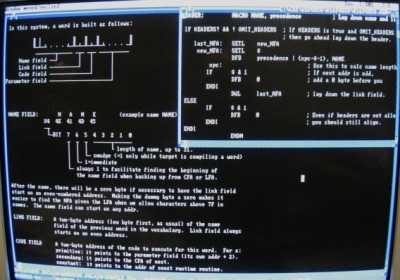
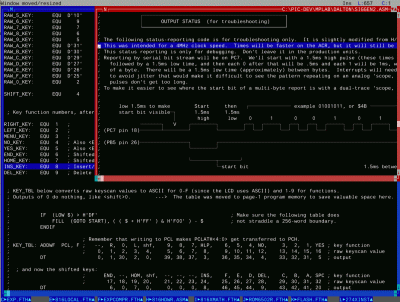
(although that last one was for a PIC16 project, not 6502). CP437 also lets me have Forth word names like ±½°C or 10KΩ or put Φ2 in the comments.