Page 2 of 24
Posted: Tue May 24, 2011 3:59 pm
by Arlet
I have a new version of bin2coe:
http://ladybug.xs4all.nl/arlet/fpga/source/bin2coe.exe
To get 16 bit data, use the -2 option:
bin2coe -2 filename
Posted: Tue May 24, 2011 5:17 pm
by ElEctric_EyE
Ok thanks for being so quick! Was that option always there? I noticed it was the same size as the previous version.
I got it to run for a short while in ISim. My hex editor, and I've tried a few now, will not allow me to use 16 bit per address, so even though it looks like I'm working with 16 bit data, the file size was still 8K. So what I did was to fill the ROM.bin out to 16K (8Kx16) manually and it appears to work!
I need to change those idef statements, then I can get an ISim pic up, I just remembered I think that's why it's quitting in simulation....
Posted: Tue May 24, 2011 5:53 pm
by ElEctric_EyE
Looks like a timing issue?!
I designed it the same way as the 6502SoC, which I have noticed just now also does not start from the reset vector. Almost like both of my designs fumble around until they hit a BRK and send it starting from the IRQ/BRK vector, except 6502SoC runs smoothly afterwards...
I thought that since the BRAM's are synchronous, no issues with timing would occur?
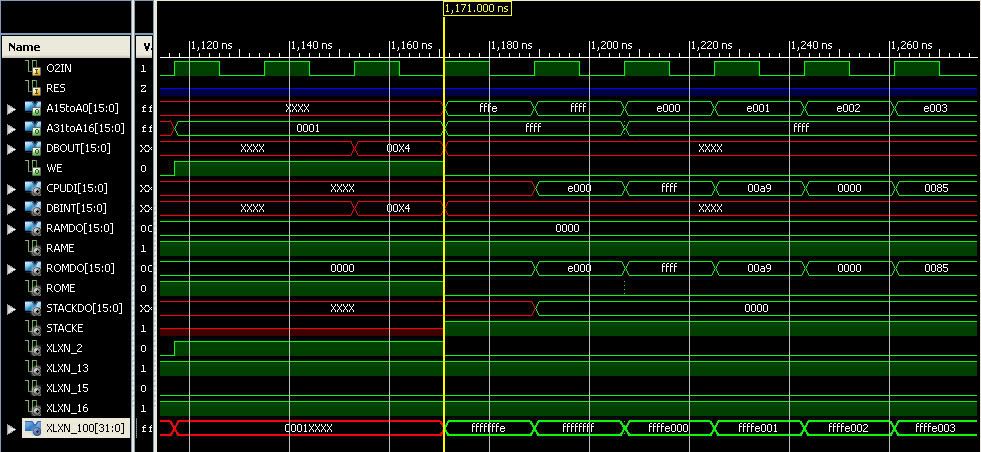
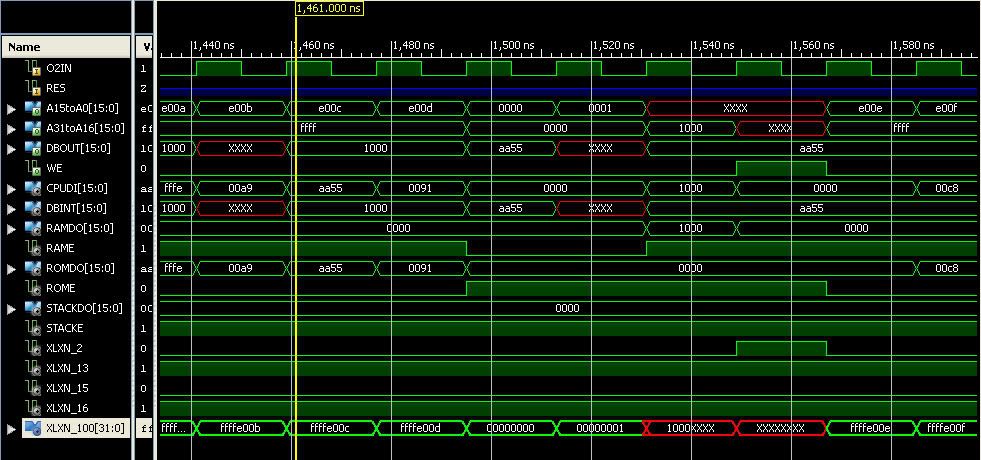
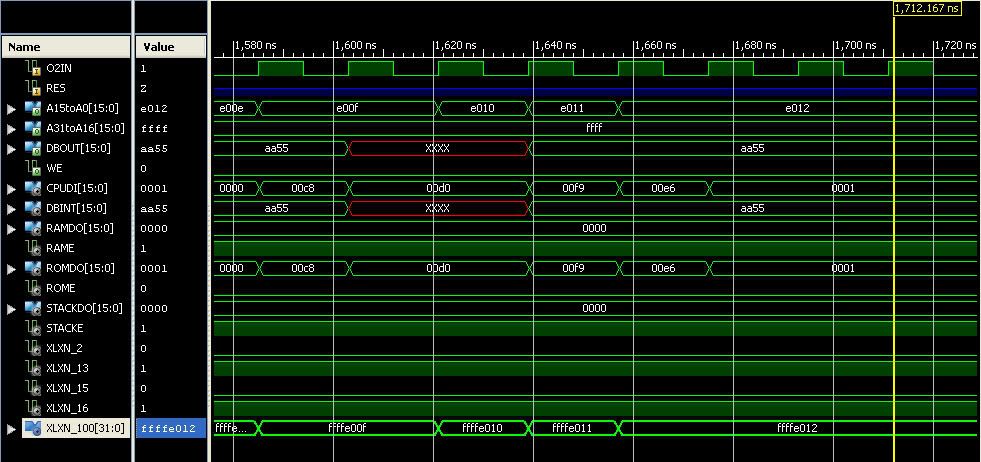
Here it's starting up.
Here it is starting to fumble.
Flatlined.
Posted: Tue May 24, 2011 6:18 pm
by Arlet
It looks like it's reading XXXX from location 0000_0000. How is the memory at that location hooked up, and can you find the cycle where it is supposed to be initialized ?
Posted: Tue May 24, 2011 6:40 pm
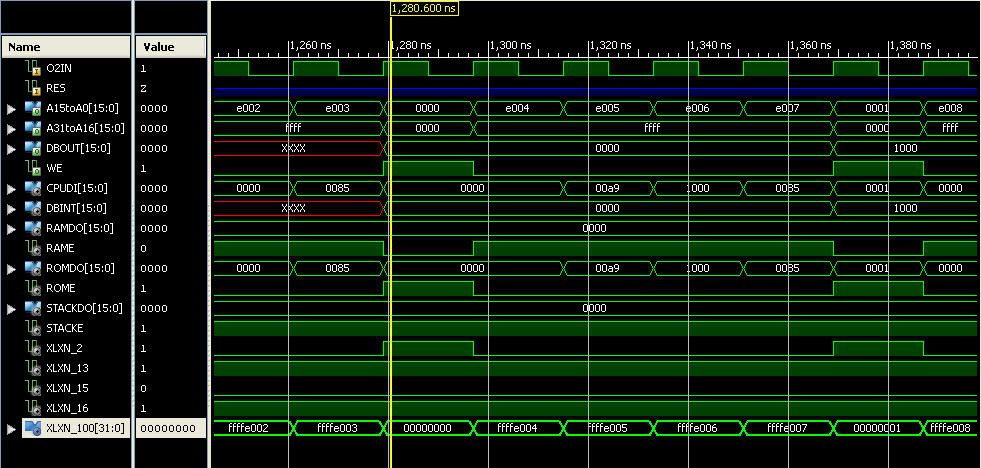
by ElEctric_EyE
Here's where. Still working on getting decent pics of the simple schematics...
Here's the assembly:
Code: Select all
  *= $FFFFE000       ;start

 	LDA #$0000
 	STA $0000
 	LDA #$1000
 	STA $0001              ;set up indirect indexed registers
 	LDX #$FFFE
 	LDY #$0000
A	LDA #$AA55           ;store pattern 1010101001010101
	 STA ($0000),Y       ;from $10000000
	 INY
	 BNE A
	 INC $0001
	 DEX                  ;to $FFFEFFFF (still below start @$FFFFE000)
	 BNE A
B   JMP B         ;end without setting interrupt
And the 16-bit machine language equivalent:
Code: Select all
00A9 0000 0085 0000 00A9 1000 0085 0001 00A2 FFFE 00A0 0000 00A9 AA55 0091 0000 00C8 00D0 00F9 00E6 0001 00CA 00D0 00F4 004C E018 FFFF
EDIT 5.24.11: Found missing DEX (00CA) & missing LDY #$0000 (00A0 0000). Corrected above machine code
Posted: Tue May 24, 2011 7:03 pm
by ElEctric_EyE
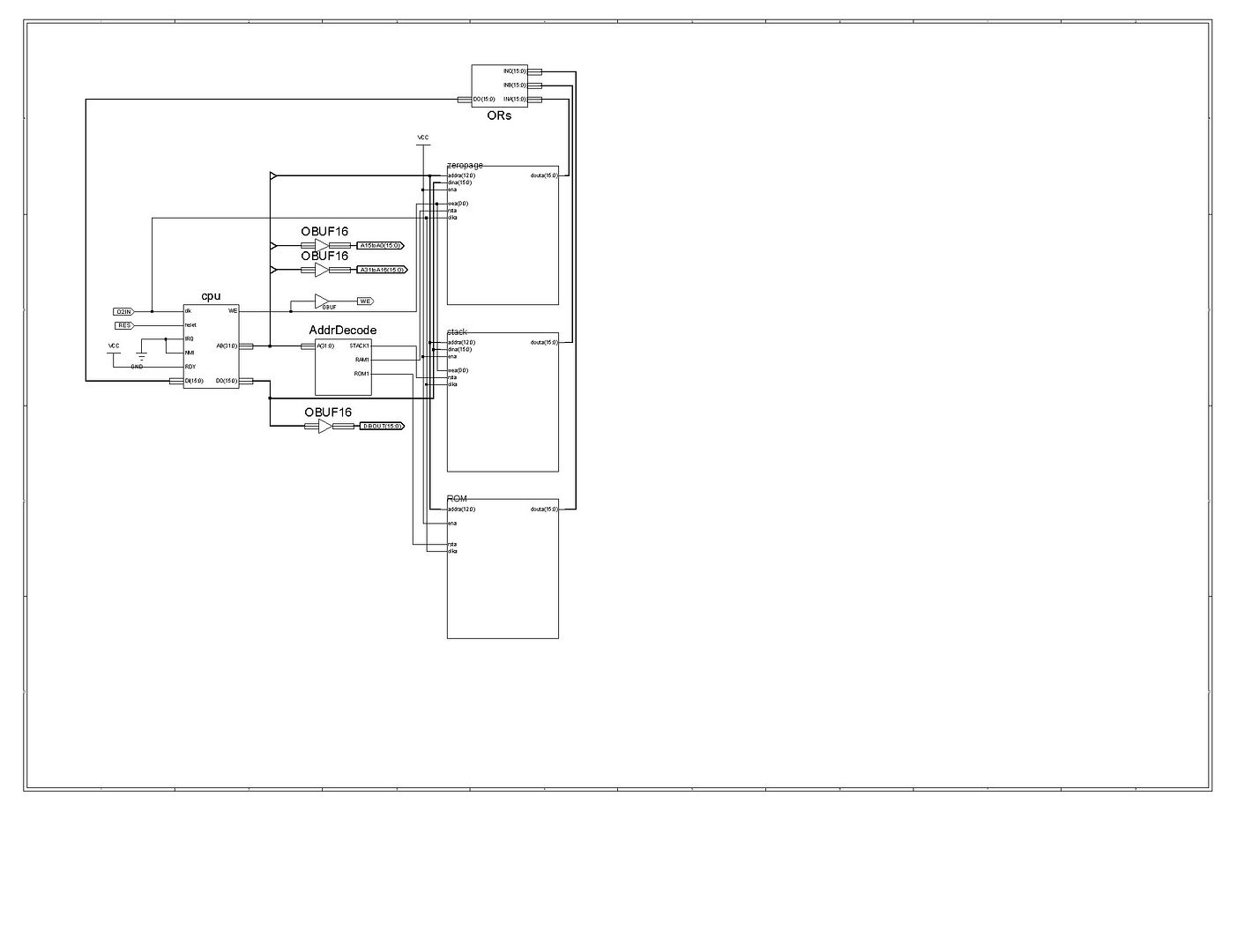
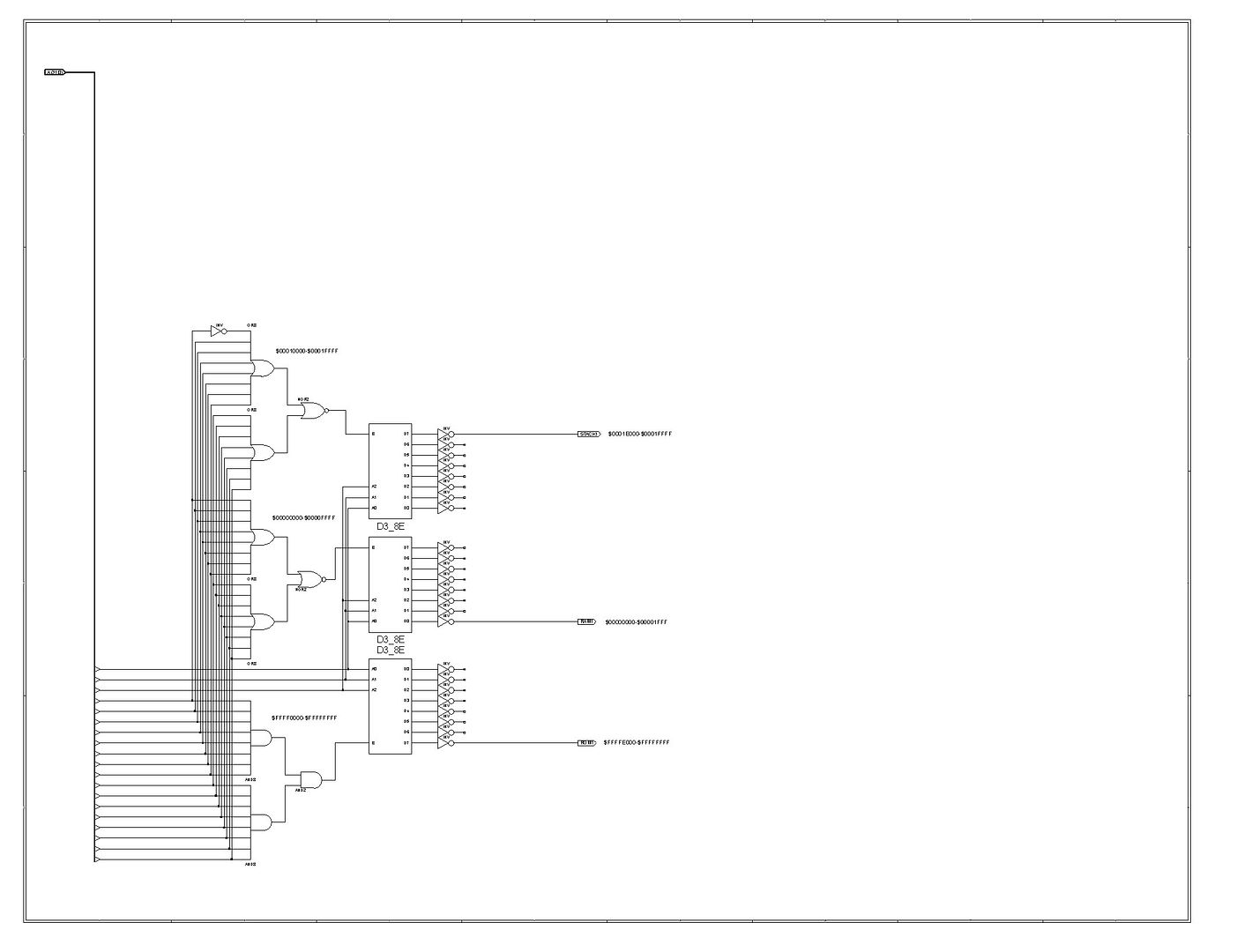
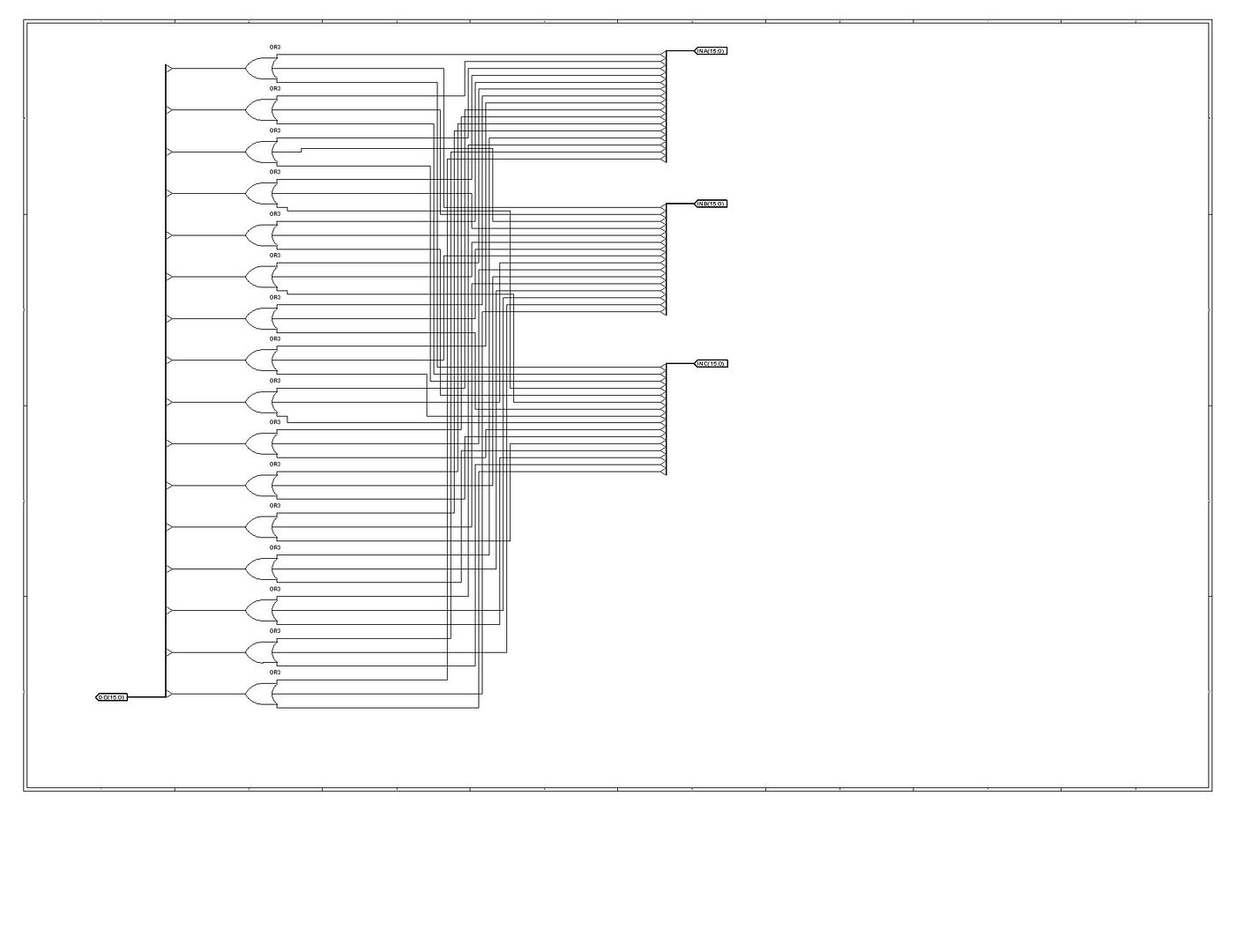
Hopefully these pics will size up OK...
Here is the
top level.
Address decoding. On the left are tapped addresses starting with A13 down to A31 at the bottom.
And the
ORs module.
Posted: Tue May 24, 2011 7:23 pm
by Arlet
I'm not sure what the problem is. What is the DBINT signal ? It doesn't show up in the schematics, but it turns red first.
It looks like the XXXX's are coming out of the ALU. Can you trace the ALU ? Specifically: AI, BI, CI, alu_op and alu_shift_right (at the cycles around where the problem first occurs)
Posted: Tue May 24, 2011 7:46 pm
by ElEctric_EyE
Sorry, DBINT is the CPUDO, stands for DataBusINTernal...
I'm going to take a rest now and enjoy a cold beverage. I think the 65O16 is almost alive! Will start back to work troubleshooting tomorrow morning, so don't stay up on my behalf...
When we're sure it works, I will post my simple mod's to 65Org16.b on github and fork off of BigEd's post there.
BTW so far, I am seeing a (CLK to setup) of 16.8ns. I was hoping for more, but this is still with the defunct BCD mode intact. I will try to trim it out as well, before posting to github.
Posted: Wed May 25, 2011 1:10 pm
by ElEctric_EyE
I need to pay more attention to the code. Was rushing...
I think this is correct now. Will test...
HOORAY, It is running!!

Code: Select all
 *= $FFFFE000		        	;START	COPY PATTERN $AA55
				                  ;FROM $10000000 TO $FFFEFFFF (($FFFE X 10000) + FFFF)
				                  ;
FFFFE000	LDA #$0000	      ;00A9 0000
FFFFE002	STA $0000          ;0085 0000
FFFFE004	LDA #$1000	      ;00A9 1000
FFFFE006	STA $0001          ;0085 0001
FFFFE008	LDX #$FFFE         ;00A2 FFFE
FFFFE00A	LDY #$0000         ;00A0 0000
FFFFE00C	LDA #$AA55      	;00A9 AA55
FFFFE00E	STA ($0000),Y      ;0091 0000
FFFFE010	INY		          ;00C8
FFFFE011	BNE FFFFE00E	    ;00D0 FFFB
FFFFE013	INC $0001          ;00E6 0001
FFFFE014	DEX		          ;00CA
FFFFE015	BNE FFFFE00E	    ;00D0 FFF6
FFFFE017	JMP FFFFE017 	   ;004C E017 FFFF
EDIT 5/27/11: Fixed $FFFFE005 from $0000 to $1000
EDIT 5/25/11: 1 final correction to the bne offsets
Posted: Wed May 25, 2011 1:31 pm
by Arlet
BTW so far, I am seeing a (CLK to setup) of 16.8ns. I was hoping for more, but this is still with the defunct BCD mode intact. I will try to trim it out as well, before posting to github.
What ISE version are you using ? It looks like the newer versions (12.4 or 13.1) are faster than the older ones. You can also play with the options: right click on 'Synthesize - XST' and pick "Process Properties..." You can change Optimization Goal to "Speed", and Effort to "High", and see if you get better results.
If your slowest path (check timing analyzer) involves the 'Z' flag out of the ALU, there is a small improvement we can make:
Right now, the Z flag is registered inside the ALU, which means that there's is 16-input NOR in the (long) ALU path. Instead of doing that, we can calculate the Z flag inside the cpu.v module, which moves this 16-input NOR to the Z flag update path, which isn't nearly as long.
and instead put this somewhere:
Posted: Wed May 25, 2011 2:12 pm
by ElEctric_EyE
...What ISE version are you using ? It looks like the newer versions (12.4 or 13.1) are faster than the older ones. You can also play with the options: right click on 'Synthesize - XST' and pick "Process Properties..." You can change Optimization Goal to "Speed", and Effort to "High", and see if you get better results...
Using 12.4 right now. I think I've tried that at one point and it didn't seem to make a difference. I'll try it again though, now that everything is working in simulation.
...If your slowest path (check timing analyzer) involves the 'Z' flag out of the ALU, there is a small improvement we can make:
Right now, the Z flag is registered inside the ALU, which means that there's is 16-input NOR in the (long) ALU path. Instead of doing that, we can calculate the Z flag inside the cpu.v module, which moves this 16-input NOR to the Z flag update path, which isn't nearly as long.
and instead put this somewhere:
The slowest path right now appears to be the A0 pin @18.1ns. I'll try your suggestions.
Posted: Wed May 25, 2011 2:33 pm
by ElEctric_EyE
Adding the last modification lowered O2 clock to setup down to 13.9ns from 16.8ns. And the slowest pin is now A2 @18.3ns.
You did mean
and not?
Posted: Wed May 25, 2011 2:38 pm
by Arlet
Yes, sorry, AZ not, ZA.
Can you post the whole path for A2 ?
Posted: Wed May 25, 2011 2:53 pm
by ElEctric_EyE
OK, corrected that. Now seeing clock to setup delay on O2IN @13.0ns. And slowest pin is A1 at 18.0ns.
How would I find the whole path of A1?
Posted: Wed May 25, 2011 3:01 pm
by Arlet
How would I find the whole path of A1?
Select Tools->Timing Analyzer->Post-Place-and-Route...
It will show you all the failing paths (make sure you constraint is small enough that something fails). It should look something like this:
Code: Select all
 Maximum Data Path: cpu/ir_2_1 to cpu/alu_out_12
     Location             Delay type         Delay(ns)  Physical Resource
                                                        Logical Resource(s)
     -------------------------------------------------  -------------------
     SLICE_X33Y24.XQ      Tcko                  0.720   cpu/ir_21
                                                        cpu/ir_2_1
     SLICE_X32Y20.G3      net (fanout=6)        2.109   cpu/ir_21
     SLICE_X32Y20.Y       Tilo                  0.608   cpu/src<5>
                                                        cpu/Mram_regfile6.SLICEM_G
     SLICE_X32Y26.G4      net (fanout=5)        1.579   cpu/dst<5>
     SLICE_X32Y26.Y       Tilo                  0.608   cpu/alu_out_or000323
                                                        cpu/alu_out_or000314
     SLICE_X33Y26.F1      net (fanout=3)        0.232   cpu/alu_out_or000314
     SLICE_X33Y26.X       Tilo                  0.551   cpu/alu_out_or0003
                                                        cpu/alu_out_or000323
     SLICE_X37Y29.G3      net (fanout=16)       1.309   cpu/alu_out_or0003
     SLICE_X37Y29.Y       Tilo                  0.551   cpu/alu_out_shift0001<13>
                                                        cpu/alu_out_shift0001<12>1
     SLICE_X34Y28.F1      net (fanout=1)        1.102   cpu/alu_out_shift0001<12>
     SLICE_X34Y28.X       Tif5x                 0.968   cpu/mux3_6_f5
                                                        cpu/mux3_7
                                                        cpu/mux3_6_f5
     SLICE_X34Y33.F1      net (fanout=1)        0.580   cpu/mux3_6_f5
     SLICE_X34Y33.CLK     Tfck                  1.050   cpu/alu_out<12>
                                                        cpu/mux3_2_f5_G
                                                        cpu/mux3_2_f5
                                                        cpu/alu_out_12
     -------------------------------------------------  ---------------------------
     Total                                     11.967ns (5.056ns logic, 6.911ns route)
                                                        (42.2% logic, 57.8% route)